Makeup Disguise for Faceless Creator Reels
Build a repeatable makeup disguise for faceless Reels, test it under real lighting and movement, and pair styling with a separate privacy method.
- makeup
- disguises
- faceless-creator
- reels
Makeup can create a distinct, repeatable character for faceless creator Reels, but makeup alone is styling rather than dependable anonymity. Build the look from a written face chart, test it under the exact lights and movements you record, and review the exported clip before posting. If your real face cannot safely appear, choose a separate privacy method instead of expecting cosmetics to prevent recognition.
This guide owns the physical-makeup workflow for short vertical promo video: character design, product separation, application notes, camera testing, continuity, safety, and final-file review. The wig and disguise guide owns hair, costume, and the broader visual persona. The AR face-filter guide owns digital effects and tracking failures. Here, the makeup is applied before capture and must hold up when the Reel moves beyond a flattering mirror view.
Choose makeup based on the consequence of recognition
Start with the privacy boundary, not the palette. A bold look may be enough for a character account whose owner accepts being recognizable. It is too weak for someone whose work, housing, relationships, custody situation, or physical safety could be affected by identification.
| Situation | Makeup's practical role | Recommended face rule | Main review question |
|---|---|---|---|
| Low-consequence character account | Distinctive styling and brand continuity | Visible face may be accepted after an informed choice | Does the look read clearly and stay consistent? |
| You want separation from everyday appearance | Changes familiar colors, finish, and styling habits | Add a stronger method if recognition by acquaintances matters | Which personal-life cues are still visible? |
| Recognition would cause material harm | Character layer around a privacy control | Crop, opaque physical covering, or reviewed face anonymization | Can any raw or published frame expose the real face? |
| Short prerecorded Reel | Repeatable visual hook you can reshoot | Match the face rule to the risk and review every export | Does the look survive movement and compression? |
| Live video | Capture-time styling only | Use capture-time coverage when exposure is unacceptable | What happens when something shifts in real time? |
| Batch of promos | Continuity across several clips | One written rule for every clip in the batch | Do all clips match the approved reference? |
Do not judge anonymity by whether you look different to yourself. You have just watched the transformation happen, know the lighting trick, and may focus on the most dramatic change. A person who knows your eyes, smile, teeth, expressions, profile, voice, posture, and surroundings has a different set of clues.
Write one of these sentences before you continue:
- “My face may be recognizable; the makeup is a stage persona.”
- “Recognition is unwanted, so makeup is supported by another control.”
- “An exposed face would cause serious harm, so no real face enters an approved file.”
That sentence decides the workflow. It also prevents a successful beauty test from quietly becoming a privacy decision.
What can a makeup disguise change on camera?
Physical makeup changes the way color, light, and edge contrast appear on the face. It can create a character that looks very different from your everyday presentation, especially when wardrobe, hair, and lighting support the same design.
Useful variables include:
- Value: lighter and darker areas that affect how the camera reads planes and depth.
- Color: a palette that separates the creator persona from personal styling.
- Shape: deliberate eyeliner, brow, lip, cheek, and graphic elements.
- Texture: matte, satin, shimmer, gloss, gems, or other approved surface details.
- Symmetry: a balanced look for polish or an asymmetric feature that becomes the character's signature.
- Edge quality: soft blended transitions versus crisp lines visible at Reel distance.
Those variables change appearance. They do not remove the underlying face from the recording. Eyes, eyelids, nose placement, mouth movement, teeth, jaw motion, ears, hairline, expressions, and profile may remain recognizable. Contour is also tied to the lighting angle: a shadow drawn for a front key light can flatten, reverse, or disappear when you turn toward a side light.
Avoid copying a distinctive personal-life makeup look into creator content. The same liner shape, unusual lip combination, nail design, brow treatment, decorative lenses, or placement of face gems can become a bridge between accounts. Build a creator-only combination and keep its reference images, products, and tools with creator equipment.
Build a face chart you can reproduce
A Reel persona needs instructions, not a lucky first application. Make a private face chart and a set of neutral reference frames before the look becomes part of the account.
Document these fields:
| Element | Record | Camera check |
|---|---|---|
| Base and finish | Product, shade, coverage, placement, powder or setting step | No unexpected flashback, separation, or color shift |
| Brows | Shape, thickness, color, arch, and start/end points | Both brows match the intended expression in motion |
| Eyes | Liner map, shadow placement, lash choice, and any approved color | Design stays readable with eyes open, closed, and looking sideways |
| Cheeks and contour | Placement relative to fixed landmarks, blend direction, intensity | Shape holds in front, three-quarter, and profile views |
| Lips | Outline, color mix, finish, and transfer control | Edge stays clean while talking and across planned close-ups |
| Graphic details | Exact size and distance from a repeatable landmark | Mark does not drift between shoots or resemble a personal identifier |
| Skin details | What is covered, deliberately visible, or recreated | Moles, scars, tattoos, and texture follow the privacy rule |
| Tools and order | Brush or applicator, application sequence, drying time | Result can be repeated without improvising under time pressure |
Use face landmarks you can find again, such as the outer corner of the eye, brow tail, cheekbone, or lip edge. “Blend higher” is hard to repeat. “Stop the color one brush-width below the outer eye corner” gives you a usable reference.
Photograph the approved look in neutral light from the front, both three-quarter angles, and both profiles. Add one eyes-closed frame and one broad expression. Keep these references private because they may contain the real face even when the public workflow uses a stronger face method.
Limit the number of approved variations
Create a primary look first. Add a low-light variation, a bright-set variation, or a specific colorway only when the original does not work for a real production need.
For each variation, record what changes and what stays fixed. A darker lip may be an approved swap while liner geometry, brow shape, cheek placement, and finish remain constant. If every shoot starts with a new palette and a new shape, continuity review becomes guesswork.
Keep an emergency simplified version that still reads as the same persona. It is safer to record a clean, documented backup look than to rush the full design with untested products or skip the face rule because a batch is behind schedule.
Design for a vertical moving frame
Reels are viewed as motion, often on a phone, and your makeup must be evaluated in that context. As of August 2026, Meta's official Reel size and aspect-ratio guidance says Instagram accepts Reel aspect ratios from 1.91:1 through 9:16, with a minimum 30 frames per second and 720-pixel resolution. Test the exact vertical framing and export settings you plan to use rather than assuming a high-resolution makeup still predicts the video result.
Start by setting the camera, lens, distance, crop, exposure, white balance, lighting, and background. Then design the makeup while looking at the camera feed as well as the mirror.
Test at the closest and widest planned views
A graphic eye shape may read clearly in a face-forward close-up and vanish in a waist-up dance clip. Heavy texture that looks controlled from several feet away may become distracting in a close shot. Record both extremes before approving the look.
Keep important character details inside the frame throughout normal movement. A tall forehead design or long outer-eye element can be cut off when the camera crop tightens. A chin or jaw detail may disappear behind captions or a hand movement even if it is visible in the reference photo.
Let lighting participate without carrying the whole design
Test the look under the brightest key light, dimmest acceptable setup, side light, and backlight you use. Check any colored practical lights separately. A shade that appears neutral in the mirror can shift under a different white balance, while reflective products may produce small hot spots during turns.
Lock the normal recording setup after it passes. If the phone changes exposure or white balance during the take, review the points where the shift happens. Makeup should remain intentional when the head moves through the approved area, not only at one marked pose.
Record expression and transfer tests
Talk, smile, open and close the eyes, look sharply to both sides, and move the lips through the audio you expect to use. Check creasing, transfer, lifted edges, lash movement, smudging, and any product that reaches a different area during expression.
If the Reel includes wardrobe changes, masks, veils, hats, glasses, or hair across the face, test them after the complete look is applied. Contact can move makeup, transfer color to fabric, catch a false lash, or expose a personal skin detail that the reference pose covered.
Keep physical makeup separate from AR beauty effects
An in-camera makeup look and a digital beauty effect fail differently. Physical makeup remains on the face when tracking is lost, but it may fade, transfer, shine, or look different under new lighting. An AR effect can drift, vanish, freeze, or preserve more recognizable structure than its preview suggests.
If you add a digital effect over physical makeup, test the combination as a new workflow. Do not assume the two layers add privacy. A beauty effect may smooth away the graphic edges that define the persona, shift their position, or behave differently when a hand crosses the face.
Use the AR filter workflow when the digital effect is part of the design. Keep this physical-makeup guide as the owner of the applied look, product hygiene, face chart, and capture-time continuity.
Pair makeup with the right face method
The makeup can stay in the creative plan even when it is not the privacy control.
For no-face framing, keep the real face outside the camera's recorded area from start to finish. Makeup may be unnecessary, or you may use visible eye, lip, or body-paint details only where the framing allows them. Review reflections and every transition into position.
For a physical covering, design visible areas around the mask, veil, or hood. The physical-mask guide covers fit, eye openings, movement, heat, and camera testing. Apply and remove the covering during rehearsal so straps and edges do not smear products into the eyes or shift the look unexpectedly.
For crop or blur, treat the makeup as styling outside the hidden region. The mask, crop, blur, and face-anonymization comparison helps route content by format and failure tolerance.
For prerecorded face-forward content, reviewed face anonymization can change the facial identity in the output while leaving the makeup palette, hair, pose, and surrounding light as creative references. The current NeoFace walkthrough shows the workflow: upload a photo or prerecorded video, allow face detection, create the anonymized result, compare the output, and download only the file that passes review.

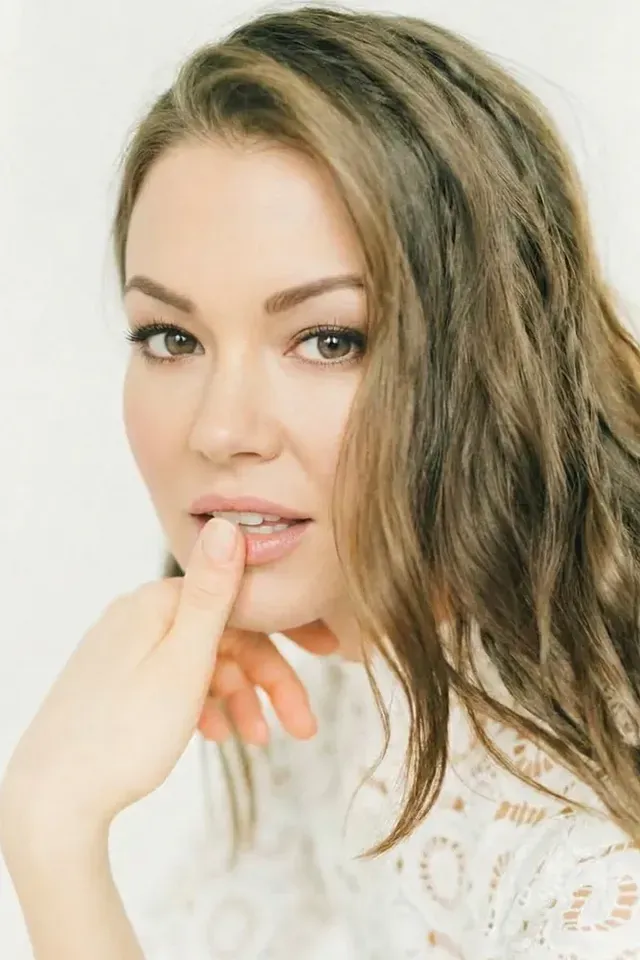
Inspect the processed face through blinks, talking, fast turns, hands, hair, accessories, and the first and last frames. Makeup does not remove the need to review the anonymized output, and face anonymization does not change the voice, background, body identifiers, metadata, or account connections.
For live video, use protection already present in the camera input. Post-processing cannot recover an exposed frame after viewers have seen it. Rehearse the capture-time method and define a stop signal before going live.
Use makeup products safely during long shoots
Do not let a persona requirement pressure you into using an irritating product, sharing applicators, or extending wear after your skin or eyes react. As of August 2026, the FDA's current consumer cosmetics safety guidance advises reading labels and warnings, washing hands, not sharing makeup, keeping containers clean and closed, protecting products from temperature extremes, and discarding products that change color or smell.
For the eye area, use only products intended for that area. Do not add water or saliva to mascara, and discard eye makeup used around the time of an eye infection. Clean tools before they approach the eye and stop using a product that causes irritation. Follow the product label and seek medical advice when a reaction persists or is severe.
Cosmetic reactions are possible even when packaging uses reassuring language. The FDA's current cosmetic-allergen guidance says cosmetics can provoke allergic reactions and advises reading ingredient panels, avoiding known triggers, and following manufacturer instructions. It also notes that terms such as “hypoallergenic,” “fragrance-free,” and “for sensitive skin” do not have a governing federal standard in the United States.
Do not invent a home allergy protocol from a social post. Follow any product-specific test directions on the label. If you have a history of reactions, questions about ingredients, or symptoms during use, consult an appropriate healthcare professional.
Treat decorative contacts as medical devices
Colored or costume contact lenses can become a strong part of a character, but they are not ordinary makeup. The FDA's current decorative contact-lens guidance says these lenses are medical devices in the United States and require a valid prescription, even when they do not correct vision.
Use an eye-care professional for fitting, buy from a seller that requires the prescription, and follow the prescribed cleaning and wearing instructions. Do not share lenses. Seek prompt professional care for redness, persistent eye pain, or decreased vision. A Reel concept is replaceable; your eyesight is not.
Run a complete makeup Reel stress test
Test the finished character with the exact camera, lighting, wardrobe, hair, accessories, audio plan, and face method intended for the Reel. Record at least one minute that concentrates the difficult moments:
- Hold a neutral front view at the closest approved distance.
- Turn slowly through both three-quarter views and profiles.
- Look up, down, and over each shoulder.
- Talk, smile, close the eyes, and make the widest planned expression.
- Turn quickly in both directions.
- Pass a hand, hair, and any planned prop across the face.
- Put on or remove approved glasses, a mask, or a wardrobe layer if the Reel includes it.
- Move from the widest framing to the closest framing.
- Repeat a turn in bright, dim, side, and back lighting.
- Record the planned audio or several seconds of room sound under the account's voice policy.
Export the test. Review it on a larger screen, then on the phone where a viewer is likely to see it. Pause at every turn, expression, hand crossing, lighting change, and clothing interaction.
| Moment | Common failure | Pass condition |
|---|---|---|
| Front close-up | Uneven edge, flashback, texture, or personal feature becomes prominent | Result matches the approved reference and privacy rule |
| Profile turn | Contour disappears or familiar profile remains fully available | Appearance is expected, and the separate face rule still holds |
| Talking and smiling | Lip edge transfers, eye product moves, or persona shape changes | Products stay controlled through the planned expression |
| Hair or hand crossing | Smudge, lifted lash, shifted gem, or digital effect conflict | Look recovers without exposing a forbidden feature |
| Lighting change | Color shifts, shimmer clips, or shadow reverses | Character remains readable in every approved light |
| Mask or glasses contact | Product transfers or equipment becomes unstable | Combined setup stays safe and follows the coverage map |
| Compressed draft | Fine details disappear or sharpening makes texture distracting | Platform-ready file still matches the intended design |
Failure does not always mean applying more product. You may need a simpler graphic shape, a different finish, steadier lighting, a wider crop, less movement, or a stronger face method. Solve the cause instead of stacking an untested layer over it.
Build a raw, review, and approved Reel path
A strong makeup look does not prevent the wrong take from being posted. Separate files by state:
- Raw: original footage, including any uncovered or unverified face. Never publish from this location.
- Review: exported candidates waiting for visual, audio, metadata, cover, caption, and account checks.
- Approved: the only files available to the posting workflow.
Name batches by persona version and shoot date. Add a short code for the makeup variation and face method. A filename such as violet-v2-anon-approved-03.mp4 is easier to route than several clips with nearly identical camera-roll thumbnails.
Review the chosen cover separately. A Reel can pass during playback while its cover freezes on an awkward transition or the one angle the persona rule forbids. Also check preview tiles, mirrors, screens, collaborators, audio, and the selected posting account.
The broader OnlyFans anonymity checklist covers account separation, contacts, metadata, backgrounds, voice, and ongoing audits. Makeup addresses only visible styling.
Common makeup-disguise mistakes
Treating “different” as “unrecognizable.” A dramatic palette can change the mood while the familiar face remains clear. Choose privacy controls from consequences, not from the strength of the transformation.
Designing in a mirror only. The camera, lens, exposure, white balance, lighting, motion, and compression determine what viewers receive. Approve the saved export.
Reusing a signature personal look. Familiar liner, brows, lip color, contacts, nails, or face gems can connect identities. Give the creator persona its own documented combination.
Depending on contour from one angle. Contour uses light and shadow. It may become weak or reverse when the head or key light moves.
Making the look too complex to repeat. If every application requires an hour of improvisation, batches will drift. Reduce the design to the features that remain visible at Reel distance.
Trying new products during the real shoot. Test product behavior, wear, removal, transfer, and camera response before the batch. Stop if irritation or other symptoms appear.
Sharing products or tools. Keep creator tools clean and personal. Follow labels and the FDA safety guidance for storage, use, and disposal.
Buying decorative contacts without a prescription. In the United States, decorative lenses require a valid prescription and professional fitting. A costume listing does not change that requirement.
Mixing raw and approved clips. Keep original footage away from the posting picker. Similar thumbnails are not a reliable safety system.
The faceless makeup Reel checklist
Run this list before each batch and again before publishing:
- The consequence of recognition and the face rule are written down.
- Makeup is classified as styling, not assumed anonymity.
- The persona has a current face chart and approved reference frames.
- Products, shades, placement, tools, and application order match the chart.
- No distinctive personal-life makeup, lenses, nails, or accessories crossed into the look.
- Labels, warnings, ingredients, and manufacturer directions were checked.
- Hands and tools are clean, and products are not shared.
- No product with a changed color, smell, texture, or damaged container is used.
- Eye-area products are intended for the eye area.
- Any decorative contact lenses were professionally fitted and obtained with a valid prescription.
- The exact camera, lens, vertical crop, exposure, white balance, and lights are set.
- Front, three-quarter, profile, close, and wide views pass.
- Talking, smiling, blinking, fast turns, and looking up and down pass.
- Hair, hands, props, glasses, masks, and wardrobe changes do not disturb the look or face method.
- Bright, dim, side, back, and colored light behave as expected.
- The face method matches the risk for prerecorded or live content.
- The exported file was reviewed frame by frame at difficult moments.
- The compressed draft, cover, and preview tile passed separately.
- Voice, notifications, reflections, background, metadata, caption, and posting account passed.
- Raw, review, and approved files are separated, and the upload picker opens to approved files only.
Any unchecked privacy or safety item is a stop signal. Fix the setup, simplify the look, reshoot, switch methods, or leave the clip unpublished.
Make the look recognizable without overclaiming privacy
A good makeup persona is clear on a phone, reproducible from notes, stable through expressions, and compatible with the face rule you chose. It has an approved palette, repeatable placement, safe products, reference frames, a camera test, and a file path that keeps raw footage away from publishing.
Keep the privacy claim precise. Makeup can disguise everyday styling and build a memorable character. It cannot guarantee that your real face is unrecognizable. When exposure matters, pair the makeup with framing, a physical covering, or reviewed face anonymization, then inspect the final Reel as carefully as you inspected the look in the mirror.
Frequently asked questions
- Can makeup disguise my face in a Reel?
- Makeup can change color, contrast, apparent proportions, and the visual character of your face, but it does not guarantee that people who know you will not recognize you. Treat it as styling unless your risk assessment accepts facial visibility. If recognition would cause serious harm, pair the look with framing, a physical covering, or reviewed face anonymization for prerecorded video.
- What makeup works best for a faceless creator persona?
- The best makeup is safe for your skin, clearly visible under your actual camera and lighting, repeatable from a written face chart, and different from any distinctive look you use personally. Choose a limited palette and a few deliberate shapes instead of adding detail at random. Test the finished look through motion, close-ups, side angles, and the platform-ready export.
- Is contouring enough to stop face recognition?
- No reliable privacy claim should rest on contouring. Contour can change how light describes the face, especially in a controlled front view, while leaving the eyes, smile, teeth, jaw movement, profile, ears, and facial proportions available to a familiar viewer. Use contour for character design. Choose a separate face-hiding method when your real facial identity must not appear.
- Should I use the same makeup in every Reel?
- Use a documented primary look when makeup is part of how viewers recognize the persona. You can keep approved variations for different lighting or outfits, but record the products, shades, placement, tools, camera settings, and reference frames for each one. Consistency supports batching and branding. It does not make the visible face anonymous by itself.
- How do I test disguise makeup on camera?
- Record the exact look under your brightest, dimmest, side, and back lighting. Include front and profile views, talking, smiling, fast turns, looking up and down, hands near the face, and the closest planned crop. Review the saved export frame by frame, then inspect the compressed draft, cover image, and thumbnail before publishing.
- Are decorative contact lenses safe for a creator look?
- In the United States, decorative contact lenses are regulated medical devices and require a valid prescription, even when they do not correct vision. An eye-care professional must fit them. Buy only from a seller that requires the prescription, follow the prescribed care instructions, and seek prompt professional care for redness, persistent pain, or decreased vision.
- When should I use face anonymization instead of makeup?
- Use face anonymization for reviewed photos or prerecorded video when you want a face-forward result without publishing your real facial identity. Makeup can still define the colors and character around the processed face. Keep raw and approved files separate, inspect the complete output, and use capture-time protection for live content because there is no private review before viewers see it.
Create with
a face you choose.
Join thousands of creators building faceless brands with Neoface. Private by default, lifelike by design.
No credit card required · Instant access · Free plan available
- High-fidelity models
- Private and secure
- 24/7 support