Wigs & Disguises for Faceless Promo Content
Use wigs and disguises to build a repeatable faceless promo persona without treating styling as anonymity. Test coverage, camera behavior, continuity, and safety.
- wigs
- disguises
- faceless-creator
- promo-content

A wig or disguise can give faceless promo content a recognizable character, but styling alone is not dependable anonymity. Use a wig to change the visual persona, then set separate rules for facial coverage, real hair, ears, voice, body identifiers, background, and files. The safest setup is the one you can reproduce, stress-test, and inspect before every post without making exceptions when a shoot runs late.
This guide owns that styling and operating workflow. The broad guide to creating OnlyFans content without showing your face remains the owner of the overall account strategy. The physical-mask guide owns mask selection. Here, the question is narrower: how do you turn a wig, wardrobe, accessories, and concealment choices into promo content that looks intentional without assuming the costume has made you unrecognizable?
For the applied-cosmetics side of that character, use the makeup disguise workflow for faceless Reels. It covers face charts, product separation, vertical-camera tests, expression and transfer checks, and the final-file review without treating makeup as guaranteed anonymity.
The quick answer by privacy need and content format
Start with the consequence of recognition and the way you publish. A styling choice that is reasonable for an entertainment persona may be too weak for someone whose job, home, custody situation, or personal safety could be affected by recognition.
| Situation | Practical starting point | What the disguise contributes | What still needs a separate control |
|---|---|---|---|
| Low-consequence character account | Distinct wig, repeatable makeup, wardrobe palette, deliberate framing | A clear visual identity that differs from everyday styling | Face, voice, room, accounts, and personal accessories |
| Recognition by acquaintances would cause material harm | Wig plus strong face rule, hidden real hair and ears, creator-only wardrobe | Reduces familiar hair and styling cues | Facial identity, body clues, audio, background, and distribution |
| Severe exposure consequence | No real face in approved files, no natural voice, controlled set, reviewed prerecorded output | Character continuity around stronger privacy controls | A complete safety plan; styling is never the deciding control |
| Still photos | Stable wig and repeatable pose set | Easy continuity and full-resolution review | Profiles, reflections, visible lace or edges, file metadata |
| Short prerecorded promo video | Secured wig, movement-tested costume, written shot list | Motion and silhouette that viewers can recognize | Frame-by-frame face and identity review, audio, thumbnails |
| Live content | Capture-time concealment that has passed a full rehearsal | A character visible in the raw event | No post-production recovery; emergency stop plan is required |
Do not use the table as a promise that one combination prevents recognition. It is a routing tool. The person who knows your normal walk, laugh, tattoo placement, apartment, and favorite jewelry has more reference material than a stranger who sees one clip.
Decide whether the wig is styling, concealment, or both
Write the wig's job in one sentence before you shop or film. The answer should fall into one or more of these categories:
- Brand styling: the wig creates a memorable color, shape, era, or character.
- Hair concealment: the wig covers your normal color, cut, texture, part, or hairline.
- Silhouette change: the volume or length changes the outline of your head and shoulders.
- Costume continuity: the wig connects a series of outfits, sets, or scenarios.
- Facial framing: the style works with a mask, crop, veil, glasses, or anonymized face.
Those jobs are useful, but none means “anonymous.” A short wig may expose your nape and ears. A long style may cover them in a still and reveal them during a turn. Bangs can change the forehead area while leaving the eyes, nose, mouth, jaw, and smile untouched. A dramatic color can separate the persona from everyday life, yet the same distinctive wig can connect two accounts if it appears in both.
Build a coverage map before choosing the look. Mark each item as allowed, forbidden, or dependent on the shot:
- Real hair at the temples, nape, part, and around the ears
- Hairline and forehead
- Ears, piercings, and earrings
- Eyes, eyebrows, nose, cheeks, mouth, teeth, chin, and jaw
- Neck, shoulders, tattoos, scars, birthmarks, and jewelry
- Hands, nails, rings, posture, walk, and repeated gestures
- Natural voice, laugh, background conversation, and location sounds
- Room layout, reflections, windows, mail, screens, and personal belongings
The coverage map keeps the costume from making the privacy decision by accident. If your real ears are forbidden, a bob that tucks behind them fails even when it looks convincing. If your face may appear only after anonymization, the raw camera roll and upload path need rules that support that boundary.
Choose a wig you can reproduce, not just one good photo
A promo persona has to survive more than the product listing. Judge the exact wig on your head, under your lights, through the movements and camera distances you use.
Start with silhouette and camera behavior
The audience notices the outer shape before construction details. Decide whether the character is defined by a blunt bob, high-volume curls, a long straight line, a ponytail, a cropped shape, or another readable silhouette. Then test whether that outline stays consistent when you sit, turn, lean, or change outfits.
Very shiny fibers can reflect a ring light in bands that look different from the listing. Fine fibers may become transparent against a bright background. Dense or long styles can hide wardrobe details, touch the microphone, catch on straps, or swing across a mask. A style with heavy bangs may work in front view and separate at the forehead when you look down.
Record the wig in your brightest normal key light, dimmest normal scene, side light, and backlight. Use the camera and exposure you publish with. A mirror under room light is not enough to show flyaways, visible cap material, lace color, reflected light, or the way compression treats fine strands.
Check the full edge, not only the front hairline
Inspect the temples, above and behind both ears, the nape, the part, and any point where the wig meets a hat, hood, mask, or costume. Ask a simple question at each edge: does this reveal real hair, skin detail, an attachment, or a feature the persona rule says to hide?
Do the same check while moving. Turn both profiles, look up, look down, lift your arms, lie back if that is part of the shoot, and change one clothing layer. A pass condition means the approved coverage returns without your hand fixing the wig on camera. Repeated adjustment is both a visual distraction and a leak opportunity.
Plan maintenance and replacement before the wig becomes essential
Record the maker, model or style name, color, length, cap size, part, fiber or hair type, purchase date, and the way it looked on the first approved shoot. Save private reference photos from the front, both profiles, and back under neutral light. Document the brush, storage shape, heat limits, washing instructions, and products permitted by the maker.
If the wig becomes the character's signature, consider a tested duplicate after the first one passes. Two items sold under the same name may still differ in color, density, curl, cut, or hairline. Put the duplicate through the same camera test before calling it interchangeable.
Do not let a replacement emergency force your personal wig, everyday extensions, or a one-off costume piece into creator content. An approved temporary style is safer than improvising with something already visible on personal accounts.
Build the disguise as a system of visible rules
A convincing persona comes from agreement between the parts. The wig, face treatment, wardrobe, accessories, nails, lighting, movement, and set should look like one planned character.
Write a one-page visual specification:
| Persona element | Rule to document | Continuity check |
|---|---|---|
| Wig | Primary style, approved duplicate, part, volume, length, edge policy | Front, profile, back, and movement match the reference set |
| Real hair | Fully covered, deliberately visible, or allowed only in named areas | Temples, nape, ears, and part follow the coverage map |
| Face | Crop, physical covering, reviewed anonymization, or accepted visibility | Every surface uses the same approved rule |
| Makeup and nails | Colors, shapes, finish, and personal-life exclusions | No distinctive personal look crosses into the persona by accident |
| Wardrobe | Palette, silhouettes, recurring fabrics, forbidden personal pieces | The look reads as one character across batches |
| Accessories | Approved glasses, jewelry, hats, veils, and props | No personally recognizable or one-of-a-kind item appears |
| Lighting and set | Key colors, background, crop, camera height, reflective surfaces | Reference frame can be recreated without showing a personal room |
| Movement | Poses, gestures, walk, and adjustment rules | Wig and concealment stay stable through the planned action |
The specification can support more than one look. Label them clearly, such as primary, formal, athletic, or seasonal. Each variation needs a reason and its own reference images. Random variation creates more shopping, maintenance, and review work without automatically making the account safer.
Avoid using the creator disguise in personal photos, parties, cosplay posts, resale listings, or public wish lists. The object can become a bridge between identities even when your face is absent. Store the wig, costume, packaging, and reference sheet with creator-only equipment.
Combine wigs with masks, framing, or face anonymization carefully
A wig changes hair and silhouette. Your face rule still needs its own method.
If you want capture-time coverage, a physical mask, veil, hood, or face-excluding camera angle can keep an uncovered face out of the raw frame. The physical-mask selection guide covers fit, eye openings, audio, reflections, movement, and heat. Test the wig and mask together because straps can move the hair, long fibers can cross eyeholes, and either piece can destabilize the other.
If you want a face-forward result in photos or prerecorded video, face anonymization can preserve the surrounding pose, hair, and lighting while changing the facial identity in the approved output. The NeoFace walkthrough shows the current workflow: upload a photo or prerecorded video, let the service detect the face, create the anonymized output, compare it, and download the approved file. Test with non-sensitive material first and inspect your real shooting conditions rather than relying on a selected example.
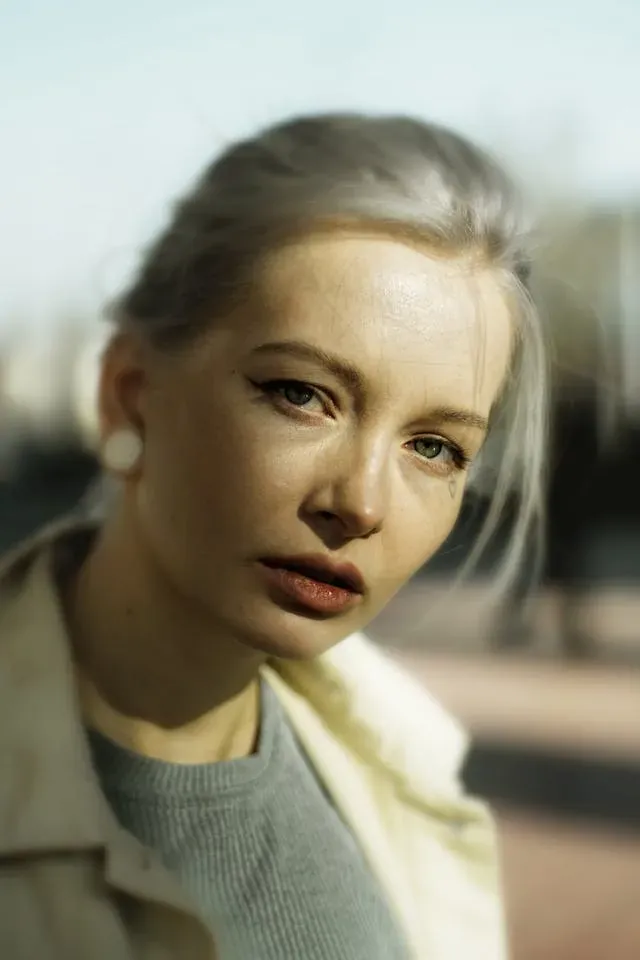

The wig can remain part of the character around an anonymized face, but it does not reduce the need for review. Check the hairline, ears, jaw, neck, fast turns, hands across the face, and the first and last frames. Keep the unprocessed source separate from the approved export so an upload picker does not present both as equal choices.
For a broader method decision, use the mask, crop, blur, and face-anonymization comparison. Choose based on the failure you can manage, the content format, and whether the raw recording must already be concealed.
Fit and safety belong in the creative plan
Wigs, loose costume material, veils, and synthetic fibers need space from flame and hot equipment. As of July 2026, the U.S. Consumer Product Safety Commission's costume safety guidance advises looking for flame-resistant labels on costumes, masks, beards, and wigs. It also explains that flame resistant does not mean fireproof.
Apply that warning to the actual set:
- Remove candles, smoking materials, open flames, sparking props, and exposed high-heat sources.
- Keep loose fibers away from hot bulbs and equipment vents. Use cool-running lights where practical.
- Route cables so long hair and costumes do not catch when you turn or leave the mark.
- Check that hats, hoods, glasses, masks, and wigs do not block the vision needed for the planned movement.
- Make every attachment removable without a tool or complicated step during an urgent stop.
- Follow the maker's temperature, adhesive, cleaning, and care instructions.
- Stop if an attachment causes pain, numbness, skin irritation, a headache, or unsafe tension.
Costume layers and studio heat also interact. NIOSH's current PPE heat-burden guidance, updated in March 2026, explains that clothing and equipment can hold heat and moisture and that work-rest planning should consider wear time, activity, hydration, humidity, and air movement. A creator costume is not the occupational PPE in that guidance, but the heat-management principle is relevant when a wig, cap, hood, mask, and warm lighting are worn together.
Use a cool room, start with a short wear test, schedule costume-off recovery breaks, keep water available, and extend recovery as the setup becomes warmer or more enclosing. Do not wait until discomfort makes you remove part of the disguise while the camera is running.
Run a complete disguise stress test
Test the assembled persona, not each item in isolation. Use the exact wig, face treatment, wardrobe, accessories, shoes, camera, lighting, microphone, and set planned for the shoot.
Record at least one minute containing:
- A neutral front view at the closest approved distance.
- A slow turn to both profiles and a view of the back of the head.
- Looking up, down, and over each shoulder.
- A normal seated transition and a standing transition.
- The fastest head and body movement the format requires.
- Arms moving near the hair, neckline, and face.
- A clothing adjustment or outer-layer change if the shoot includes one.
- The lowest, highest, and widest camera positions you plan to use.
- Bright, dim, side, and back lighting.
- Normal speech or several seconds of room audio according to your voice policy.
Review the saved file on a larger screen and on a phone. Pause at the first and last frames, each turn, every transition, and the moment hair crosses the face or clothing. Check any automatically selected thumbnail before approval.
Use this pass table:
| Test moment | Common failure | Pass condition |
|---|---|---|
| Front close-up | Visible cap, lace, real hair, personal facial feature | All visible regions match the written coverage rule |
| Profile turn | Ear, nape, jaw, attachment, or real hair appears | No forbidden feature enters during the full turn |
| Look down | Wig shifts, crown separates, bangs expose the hairline | Style remains stable without manual correction |
| Fast motion | Hair catches, mask moves, hat loosens, vision narrows | Movement remains safe and the persona stays intact |
| Bright or back light | Fibers become transparent or edges become obvious | Coverage and visual quality remain acceptable |
| Clothing change | Wig catches on a strap or real accessory appears | Change can be completed without a privacy exception |
| Final audio | Fiber rub, name, notification, voice, room clue | Audio follows the persona policy from start to finish |
If the look fails, simplify it before adding more pins, adhesives, layers, or last-minute fixes. A slightly simpler character that stays stable is easier to operate than a complex one that needs a hand at the hairline every twenty seconds.
Plan stills, prerecorded clips, and live sessions separately
For still photos, you can inspect edges and coverage at full resolution. Test flash if you use it, and check the selected image after cropping because a tighter crop can reveal hairline detail or an attachment. Review mirrors, metallic props, windows, and glossy lenses for reflections.
For prerecorded video, the transitions are the test. The disguise must survive entrance, posing, turns, floor work, clothing movement, and exit. Scrub every difficult moment. Keep raw, working, and approved files in clearly separated locations, and publish only from the approved location.
For short promo batches, continuity matters across clips that may be seen next to each other. Compare the wig color, part, curl pattern, volume, crop, and lighting against the reference frame before exporting the batch. Compression and color filters can make a close match look like a different wig, so inspect the final platform-ready file as well as the editor preview.
For live content, there is no private review between capture and audience. Use only a capture-time face rule and disguise combination that has passed a longer rehearsal. Decide the stop signal, safe exit from frame, and what happens if the wig shifts, an attachment hurts, or a costume piece blocks vision. Ending the session is the recovery path when the approved persona cannot be restored safely.
Review the whole identity, not only the hairstyle
The disguise can pass visually while the post still connects to you. Use the creator doxxing guide to review accounts, contact details, images, audio, metadata, location, and personal-history clues.
Pay special attention to objects that feel like part of styling:
- Jewelry, watches, glasses, contact lenses, nail art, and tattoos visible on personal accounts
- A personally owned wig, costume, shoes, bedding, or prop with a searchable listing or recognizable custom detail
- Packaging, receipts, shipping labels, garment tags, handwritten notes, and reflected screens
- A familiar makeup look, pose, laugh, catchphrase, or repeated gesture
- Behind-the-scenes images that show the real hair, uncovered face, room, or storage area
- Creator files mixed into a personal photo library or cloud album
Run the OnlyFans anonymity checklist after the visual test. A persona is strongest when the account, device, content, and incident-response layers support the same boundary.
Common wig and disguise mistakes
Treating different hair as a different identity. A wig changes a visible cue. It does not erase the face, voice, body, surroundings, or account links.
Choosing from the listing photo. The seller controlled the model, fit, lighting, angle, and editing. Your camera test determines whether the item works.
Ignoring the nape and profiles. Front-view styling can hide the temples while turns expose real hair, ears, attachments, or a familiar jaw.
Using a personal costume item. A wig or accessory already visible in personal life can connect the two personas even when the faces differ.
Building around an irreplaceable look. A discontinued color or one-off custom piece can force an abrupt rebrand or an unsafe substitution.
Adding accessories to fix an unstable wig. More clips, hats, hoods, glasses, and veils create more interaction points. Fix the base fit or choose a simpler design.
Reviewing the editor preview only. Export, then inspect the saved file, thumbnail, crop, compression, and audio. Publish from a folder that contains approved assets only.
Removing the disguise before the take is clearly over. Keep the coverage rule in place until recording has stopped and any behind-the-scenes camera is confirmed off.
The faceless promo disguise checklist
Run this before every batch:
- The exact approved wig and backup are identified.
- Wig condition, cap, lace, part, fibers, attachments, and fit are checked.
- Real hair at the temples, ears, crown, and nape follows the coverage map.
- Front, both profiles, back, high angle, low angle, close-up, and wide view pass.
- The face treatment matches the written rule for this content surface.
- Wig, mask, hat, glasses, veil, and clothing do not destabilize one another.
- Normal turns, fast movement, seated transitions, and planned poses pass.
- The look needs no repeated on-camera adjustment.
- Open flames and unsafe heat sources are removed from the set.
- Vision, movement, exits, floor, cables, stands, and furniture are safe.
- Wear time, room temperature, water, and recovery breaks are planned.
- No personal jewelry, wig, costume, nail design, or distinctive accessory crossed into the look.
- Backgrounds, mirrors, windows, screens, labels, mail, and reflections are clear.
- Voice, names, notifications, music, and room sounds follow the audio policy.
- First frame, last frame, transitions, difficult movements, and thumbnail pass review.
- Full-resolution stills and frame-by-frame video show no forbidden feature.
- Raw, working, and approved files are separated.
- The upload picker opens in the approved folder only.
- Reference photos and the persona specification are updated after an intentional change.
- The wig and costume are cleaned, dried, inspected, and stored with creator-only equipment.
Any unchecked privacy or safety item is a stop signal. Fix the setup, change the shot, use a stronger method, or leave the asset unpublished.
Keep the character repeatable and the claim modest
Wigs and disguises are useful because they can turn concealment into a recognizable creative choice. The best persona has a clear silhouette, a written coverage rule, approved variations, replacement planning, and a camera test that reflects the way you really move and publish.
Keep the privacy claim modest. A wig can conceal real hair and change styling. It cannot guarantee anonymity. Pair it with the right face method, remove personal bridges, inspect every approved file, and keep the same boundary when the content moves from a controlled photo to video, promotion, messages, or live work.
Frequently asked questions
- Can a wig keep a faceless creator anonymous?
- A wig can hide or change your usual hair, but it does not hide your face, ears, body, voice, tattoos, room, or mannerisms. People who know you may recognize several clues together. Treat the wig as one styling layer and decide separately how you will handle every identifying feature that appears in the frame or audio.
- What kind of wig is best for faceless promo content?
- The best wig is stable during your normal movement, looks intentional under your real lights, can be maintained or replaced, and does not expose features outside your privacy boundary. A dramatic color or silhouette may create a clearer character, while a simpler style may be easier to match across shoots. Test the exact wig on camera before making it part of the persona.
- Should a faceless creator use the same wig in every post?
- Use a consistent primary look when the wig is part of how viewers recognize the persona. You can create approved variations, but document the color, length, texture, part, hairline treatment, accessories, and lighting for each one. Consistency helps production and branding. It does not increase privacy by itself, so keep the same review standards for every approved style.
- Can people recognize me from my real hair?
- They can use hair color, cut, texture, hairline, part, extensions, and a familiar styling habit as supporting clues. Hair alone may not identify you, but it can strengthen a match made from body features, voice, tattoos, location, or reused accounts. Decide whether your real hair can appear before you record, including at the nape, temples, and edges of a wig.
- Are hats, glasses, and makeup enough to hide my identity?
- Usually not when recognition by people who know you matters. Hats, glasses, makeup, and wigs change appearance, but they often leave the eyes, facial proportions, ears, jaw, smile, teeth, and movement visible. Use them as character styling or as parts of a layered concealment plan. Review front, profile, close-up, movement, and bright-light footage before publishing.
- How do I keep a wig secure while filming?
- Follow the maker instructions, fit the cap and adjustment points before the take, and test the wig through every movement you plan to perform. Record turns, looking up and down, floor-level poses, quick movement, and clothing changes. Stop using any attachment method that causes pain, skin irritation, unsafe tension, or a setup you cannot remove promptly.
- When should I use face anonymization instead of a disguise?
- Use face anonymization for reviewed photos or prerecorded video when you want an expressive face in the result but do not want your real facial identity in the published file. A wig or costume can still define the character around it. Keep capture files separate, inspect the anonymized output carefully, and use a different method for live content or any file that cannot receive a full review.
Create with
a face you choose.
Join thousands of creators building faceless brands with Neoface. Private by default, lifelike by design.
No credit card required · Instant access · Free plan available
- High-fidelity models
- Private and secure
- 24/7 support