What to Post First on OnlyFans: A Starter Content Plan
Start OnlyFans with a clear welcome post, a varied content library, and a review-safe sequence that proves your niche without exhausting your backlog.
- onlyfans
- faceless-creator
- content-planning
- creator-operations
Your first OnlyFans posts should explain the account, prove the main content promise, and show enough variety that a new visitor can picture what comes next. Start with a short orientation post, add several examples of your repeatable formats, include one interaction prompt, and finish the opening set with a clear preview of the next release. Keep a separate approved backlog so launch day does not consume everything you made.
This guide owns the first publishable content package: which jobs the opening posts need to do, how to order them, how to protect a reserve, and how to review the collection as a whole. The broader faceless OnlyFans guide owns account setup, content ideas, privacy layers, promotion, and the full 30-day launch. The profile-photo and banner guide owns the static profile assets. Here, the task is to make the first content library coherent and ready to operate.
Give the opening library four jobs
A first library has to do more than prove you own a camera. Each post should contribute to one of four jobs:
- Orient: tell a new visitor what the account is about and what boundary shapes it.
- Demonstrate: show the main format at the quality level you can maintain.
- Differentiate: reveal a specific visual, narrative, or interactive choice that makes the persona recognizable.
- Continue: make the next release feel like a normal extension instead of a desperate improvisation.
Write one sentence for the account before selecting files. For example: “A violet masked character publishes close, carefully lit photo stories and short silent clips built around wardrobe themes.” That sentence is more useful than a list of broad adjectives. It tells you which formats belong, which face and voice rules apply, and what the next batch should resemble.
Now place every candidate post under one of the four jobs. A beautiful image that does not orient, demonstrate, differentiate, or continue may still be worth saving, but it should not displace a file with a clear launch purpose.
Build a seven-part starter library
Seven is a planning model, not a rule or a prediction. The useful idea is to cover seven distinct jobs without publishing seven versions of the same shot.
| Library job | Practical post | What it should prove | What to keep out |
|---|---|---|---|
| 1. Orientation | Welcome image or short clip with a direct caption | Niche, tone, face rule, and what comes next | Personal biography you do not need to reveal |
| 2. Anchor | Your strongest repeatable set or scene | The central reason someone would follow the account | A one-off production level you cannot maintain |
| 3. Range | A second look within the same niche | Variety without changing the core promise | An unrelated experiment added only for volume |
| 4. Format proof | Photo sequence, short video, text-led scene, or audio-led piece | How another normal format feels | A format you do not plan to make again |
| 5. Persona detail | Prop, styling ritual, point of view, or recurring story cue | What makes the public character recognizable | Real-life facts that connect the persona to you |
| 6. Interaction | A choice between two approved future ideas | How viewers can respond within your boundaries | An open request that invites work you will not do |
| 7. Continuation | Preview, cropped detail, or written setup for the next release | The account already has somewhere to go | Your entire remaining backlog |
One file can contribute to two jobs, but do not let that erase the missing ones. A welcome video may orient and show the main format. You still need range, a persona detail, and evidence that another release is prepared.
The order can change. If the visual anchor explains the account better than a written welcome, publish the anchor first and place the orientation immediately after it. What matters is that the collection answers the visitor's obvious questions: What is this? Is it consistent? Does the creator know what they are making? Is there a reason to return?
Define the promise before choosing your best files
“My best content” is too vague for launch selection. Best for what? A technically perfect close-up may fail if the planned account is built around full-body movement. An elaborate themed set may mislead if you can only produce it twice a year.
Create a simple promise card with these fields:
- Niche: the category or fantasy the account returns to.
- Primary format: the kind of post you can make repeatedly without lowering safety or quality.
- Secondary format: a real variation, not a random extra.
- Persona cue: a mask, palette, styling rule, point of view, anonymized face, prop, or writing voice.
- Face rule: what may appear in stills, prerecorded video, and any real-time content.
- Voice rule: natural, processed, synthetic, silent, text-led, or decided per format.
- Hard boundaries: requests, personal details, locations, or visual identifiers that stay out.
- Release rhythm: the workload you can repeat after the opening set.
If voice is part of the choice, use the faceless creator voice decision guide before recording the welcome. A natural voice, changed voice, synthetic voice, and silent format create different production and privacy work. The first clip should follow the policy you intend to keep.
Use the promise card to reject misleading candidates. If the account promises quiet point-of-view photo stories, a talk-heavy welcome creates the wrong expectation. If the account promises a recurring masked character, an abstract logo followed by several unrelated body crops does not prove the character exists.
Make the welcome post useful
The welcome post is an orientation, not a biography. It needs enough context for a visitor to understand the public persona and the content, without asking you to reveal your private life.
A useful welcome caption has four parts:
- The account in one line: name the niche and tone.
- The normal formats: say what you plan to publish repeatedly.
- The relevant boundary: mention a faceless, silent, masked, or character rule when it changes what viewers receive.
- The next release: point to a specific theme or format already in the approved folder.
For example: “Welcome to Violet Hour, a masked wardrobe story told through close photo sets and short silent clips. The mask stays part of the character in every release. The first silver-and-violet set is here now, and the candlelit sequence is next.”
That caption is short, concrete, and operable. It does not promise a face reveal, daily access, a custom format, or an emotional relationship the creator does not intend to provide. It also names a next release that should already exist in approved form.
Avoid opening with apologies for being new. A visitor needs the content promise, not a production diary about everything you have not figured out. If you want to share a behind-the-scenes origin later, make it a deliberate persona post after the core offer is clear.
Choose an anchor you can reproduce
The anchor is the strongest example of the normal account, not the most expensive thing you have ever made. It should demonstrate the level of framing, editing, styling, privacy review, and caption work you can deliver again.
Ask these questions before choosing it:
- Can I make a related piece with the same equipment, set, and privacy controls?
- Does it follow the face and voice rules that later posts will use?
- Does the final export look good without relying on a personal room or recognizable object?
- Can the concept produce variations without becoming repetitive?
- Does it leave room for a stronger future release?
- Would I still choose it if nobody knew how long it took to make?
A clean three-image sequence with a repeatable pose and lighting plan can be a better anchor than a long, complicated video that exhausted the batch. The anchor should reduce uncertainty about the account. It should not create a production standard that turns every follow-up into a rescue job.
Keep a second anchor unpublished. This is the fastest test of whether the opening concept is repeatable. If you cannot produce another credible set without changing the niche, face rule, or entire location, refine the promise before launching.
Add range without making the account look random
Range means a controlled change inside the promise. Change one or two dimensions while keeping the persona recognizable.
Useful changes include:
- A new wardrobe color within the same palette.
- A close crop followed by a wider composition.
- A photo story followed by a short motion study.
- A bright setup followed by a planned low-key setup.
- A serious scene followed by a playful version using the same character.
- A full set followed by one detail-focused post.
Unhelpful range changes the niche, production language, face treatment, caption voice, and quality level at once. A visitor cannot tell whether the difference is intentional or whether the account has no plan.
Use a two-column review. In the first column, list what changes between post two and post three. In the second, list what remains fixed. At least the niche, persona cue, face rule, and overall quality should stay recognizable.
Route faceless content by format
The opening library should not use one privacy method in the welcome, another in the anchor, and a weaker one in the preview. Pick the rule by format and write it on the promise card.
| Face route | Good opening use | Review focus | Avoid |
|---|---|---|---|
| No face recorded | Point-of-view, body crop, hands, back-of-head, or prop-led scene | Frame edges, mirrors, shadows, transitions, and camera movement | Planning to crop out a face later when capture can exclude it |
| Opaque physical covering | A masked character, hooded set, helmet concept, or controlled costume | Openings, shifting edges, hair, ears, heat, and repeatable fit | Treating a partial covering as proof of anonymity |
| Silhouette or controlled light | Graphic persona introduction and shape-led series | Lifted shadows, profile, reflections, and alternate device screens | Depending on one dark preview without checking the final file |
| Reviewed face anonymization | Face-forward photos or prerecorded video with one public persona | Face edges, motion, hair, hands, expressions, and raw-file separation | Posting a processed file without inspecting the whole result |
If you want a visible public face without publishing your real facial identity, the current NeoFace face anonymization workflow shows how to create and select a reusable synthetic face, upload a photo or prerecorded video, review the processed result, and download only a version that passes. Use the same active face across the starter library, and test with a non-sensitive file before processing a full batch.
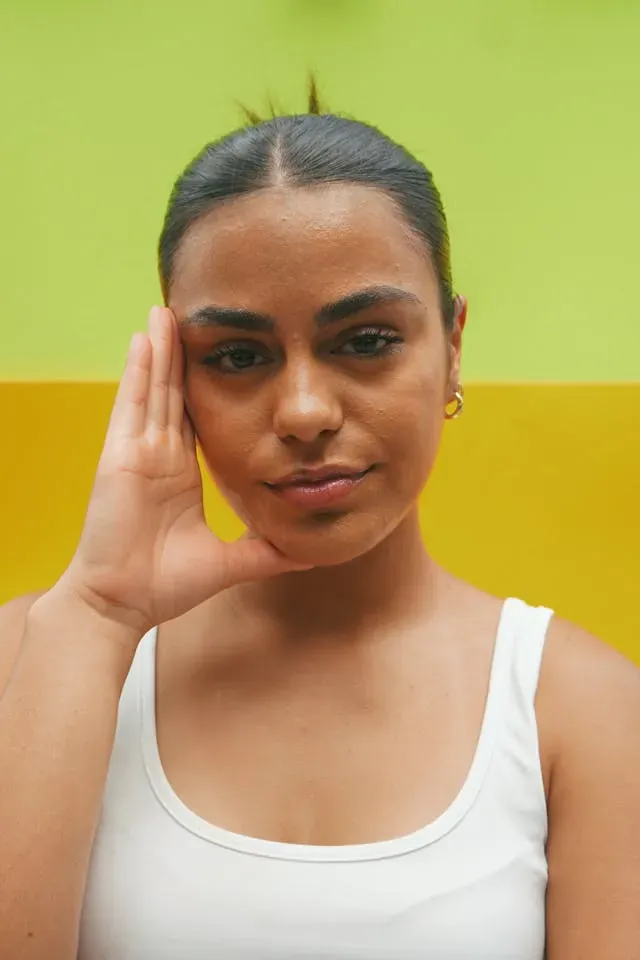
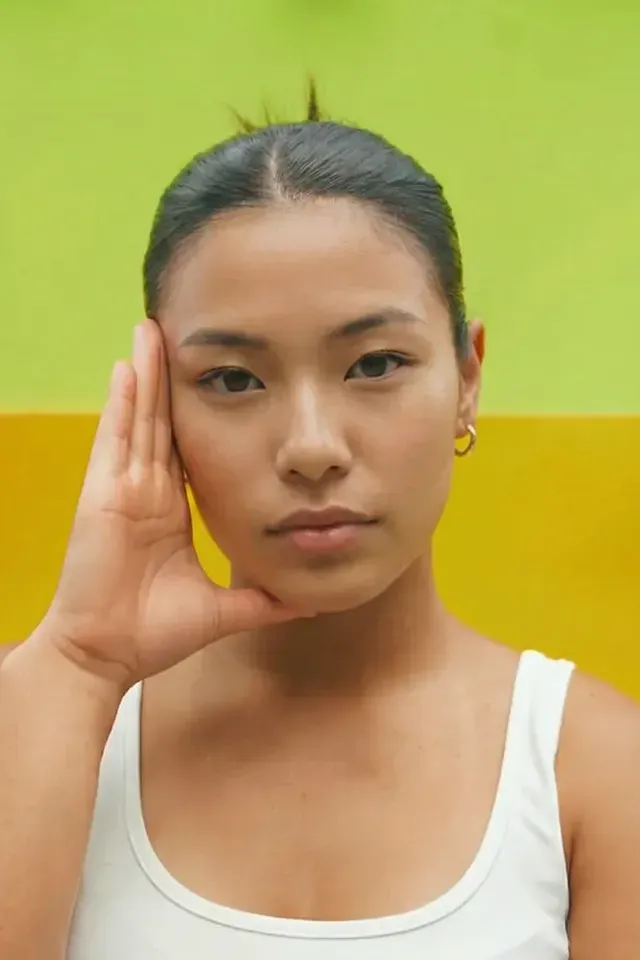
Face anonymization changes the face in the reviewed output. It does not remove tattoos, room details, reflections, voice, metadata, distinctive clothing, or account links. The first library must apply the complete privacy rule to every post, cover, and preview.
Write captions that help each post do its job
A caption should add context that the file cannot carry alone. It does not need to repeat everything visible in the image.
Use this four-line worksheet:
- Scene: what is happening in this post?
- Persona: what detail belongs to the recurring character or niche?
- Boundary: is there a relevant expectation to set?
- Continuation: what approved post, choice, or theme comes next?
Not every caption needs all four lines. The orientation post usually does. An anchor caption may only need scene and persona. An interaction post needs a bounded choice and a date or sequence for the result if you are prepared to follow through.
Avoid vague prompts such as “What should I do next?” when most answers would fall outside your limits. Offer two approved directions: “Should the next Violet Hour set use silver gloves or the black lace pair?” Both choices already fit the wardrobe, privacy, and production plan.
Do not place private schedule clues in captions. “I am filming after my shift at the clinic” gives more information than “The next set is in review.” Keep work, school, travel, family routines, weather, landmarks, and real-time location out unless disclosure is an informed part of the public identity.
Keep a reserve instead of publishing the whole batch
Separate the launch collection from the production reserve. The opening library proves the account. The reserve protects the next cycle from illness, editing trouble, equipment failure, privacy rework, or a concept that needs to be discarded.
Use four folders:
- Raw: originals, including any real face, voice, location, or unreviewed background.
- Working: edits, alternate crops, anonymized candidates, caption drafts, and covers under review.
- Approved launch: only the files and text selected for the opening sequence.
- Approved reserve: finished follow-ups that can be published without reopening raw material.
The upload device or browser should open to approved files only. Similar thumbnails are a weak safety control. Put raw files somewhere the posting picker cannot reach by accident.
Do not count unfinished ideas as backlog. A clip waiting for face processing, a set with unreviewed reflections, and a caption still containing personal details are production inventory. They are not safe publishing inventory.
The reserve is ready when each item has a final export, cover or preview crop, caption, filename, metadata check, and written place in the sequence. Keep at least one complete follow-up batch ready. That is a workflow recommendation, not a promise that a particular posting frequency will produce a result.
Review the library as one connected system
Reviewing files one at a time can miss collection-level problems. Put the final assets, covers, and captions on one private review board in planned order.
First, inspect the visitor experience:
- Is the niche clear after the welcome and anchor?
- Does the range look intentional?
- Is the same persona present in every post?
- Does the opening set include a real reason to return?
- Does any caption promise a format, frequency, or access level the reserve cannot support?
- Are several posts duplicates with different filenames?
Then inspect privacy across the whole collection. A tattoo may be hidden in six files and exposed in the seventh. A mask may fit in stills but shift in the video. An anonymized face may use two different synthetic identities because candidates came from separate tests.
Run the OnlyFans anonymity checklist on the collection, not just the anchor. Use the EXIF and metadata removal guide on final exports. The check belongs after editing because a clean source can gain a revealing filename or location tag later in the workflow.
Use the first response as research, not a verdict
The opening set gives you the first evidence about your own account. It does not prove that a niche is permanently good or bad.
Create a small private log with one row per post:
| Field | What to record | Why it helps |
|---|---|---|
| Post job | Orientation, anchor, range, format, persona, interaction, or continuation | Shows whether you are comparing like with like |
| Production effort | Shoot, edit, privacy review, and caption effort in broad terms | Reveals formats that create unsustainable work |
| Boundary friction | Any request, edit, or response that pushed against a hard limit | Identifies where expectations need clearer wording |
| Available response | Only the views, reactions, replies, or other signals your current account shows | Keeps the log tied to observed data |
| Follow-up idea | One approved next test | Turns feedback into a controlled experiment |
Do not copy a universal benchmark from another creator and use it as a pass line. Account age, existing audience, niche, price, public previews, promotion, geography, and production style make simple comparisons unreliable. Compare your own posts by job and change one meaningful variable at a time.
Keep the ongoing anonymity playbook in the review cycle. A format that attracts attention but repeatedly pressures you into real-time location, personal history, an unapproved voice, or an exposed face needs a clearer boundary or a different design.
Common first-content mistakes
Launching with one excellent post and an empty plan. A strong file proves one moment. The starter library needs to show a repeatable account and leave another batch ready.
Publishing seven near-duplicates. Different poses from the same burst may be one set, not a varied library. Give each post a distinct job.
Making the welcome a private autobiography. Share the public persona, niche, content formats, and useful boundaries. Leave real names, work, school, family, neighborhood, and routine out.
Choosing a one-time spectacle as the anchor. An elaborate location or costume can misrepresent the normal account. Lead with a strong version of work you can repeat.
Changing the face rule between posts. A crop, physical mask, silhouette, and anonymized face can each be valid, but an unexplained mixture can weaken both privacy and persona continuity.
Using personal social images as starter material. A new crop does not remove the unchanged source, room, pose, clothing, or reverse-image connection. Shoot creator-only material.
Asking an unlimited question. Open prompts can invite ideas outside the niche or your boundaries. Offer choices you already know you can produce.
Publishing every approved file. Keep a follow-up batch. The first routine release should come from the reserve, not from a rushed new shoot.
Reviewing the file but not the cover and caption. A safe video can have an exposed cover frame. A safe image can sit beside a caption that reveals a schedule or location.
Treating early response as a final market verdict. Use it to choose the next controlled test. Do not rewrite the entire account around one post.
First OnlyFans content checklist
Complete this before you invite traffic to the account:
- The niche, primary format, secondary format, persona cue, face rule, voice rule, and hard boundaries are written down.
- The opening library covers orientation, demonstration, differentiation, and continuation.
- The welcome post states the public promise without unnecessary personal history.
- The anchor represents a quality level and workflow you can repeat.
- A second anchor or complete follow-up batch is approved and held in reserve.
- Range comes from controlled changes inside the niche, not unrelated experiments.
- Every post has a specific library job.
- The interaction prompt offers choices that already fit your limits.
- The continuation post points to material that exists in approved form.
- Profile photo, banner, welcome, posts, covers, and previews use a consistent persona.
- Face and voice rules stay consistent across stills, prerecorded video, and captions.
- No source or export was reused from a personal profile or album.
- Real face, tattoos, scars, jewelry, room details, mirrors, screens, landmarks, and documents were reviewed.
- Every video was watched from start to finish with sound and paused through difficult frames.
- Covers, thumbnails, crops, and first and last frames passed separately.
- Final metadata and filenames reveal no unnecessary personal information.
- Raw, working, approved launch, and approved reserve files are separated.
- The upload picker opens to approved files only.
- Captions contain no real-time location, work, school, family, or routine clues.
- No caption promises a schedule, format, or access level the reserve cannot support.
- The full library was reviewed in order as a visitor experience.
- A private post log is ready for observed response, effort, boundary friction, and the next test.
Any unresolved identity clue, broken face rule, misleading promise, or missing reserve is a stop signal. Remove the file, revise the caption, choose a safer crop, process and review the face, or delay the opening until the next batch is ready.
Start with a collection you can continue
Your first content should make the account legible and give the next release somewhere to go. Use a concise welcome, one repeatable anchor, controlled range, another normal format, a recognizable persona detail, a bounded interaction, and a real continuation. Keep the profile promise, face rule, voice rule, and review standard consistent across the collection.
Launch from approved files, not from the camera roll. Hold back a complete follow-up batch, review the opening set as one system, and use early response to choose a small next test. A clear starter library will not guarantee an outcome, but it will give you a safer and more useful beginning than a single polished post surrounded by improvisation.
Frequently asked questions
- What should my first OnlyFans post be?
- Make the first post a short orientation to the account. Show the visual style, state what kind of content you plan to make, name any firm boundaries that affect the experience, and point to what comes next. Use a strong approved image or short clip, but keep the caption useful. A new visitor should understand the account without needing a long personal introduction.
- How many posts should I have before promoting my OnlyFans?
- There is no universal number that guarantees a good launch. Build a small library that proves your main promise, shows more than one repeatable format, and leaves at least one complete follow-up batch unpublished. This guide uses seven launch jobs as a planning model, not a platform rule. If several posts repeat the same pose or idea, the library is still thin even when the count looks high.
- Should my first OnlyFans post be a photo or video?
- Choose the format that best represents the content you can repeat safely. A strong photo is easier to review and can establish the visual persona quickly. A short video can demonstrate movement, voice policy, pacing, and production style. You can use either for the first post, then include the other format later only if it belongs in your normal content plan.
- What should a faceless creator post first on OnlyFans?
- Start with a deliberate faceless introduction, then publish examples that prove the account works within the same privacy boundary. That might mean no-face framing, a physical mask, a silhouette, or a reviewed anonymized face. Keep the treatment consistent across the profile, welcome post, content samples, and previews. Do not make the first post a one-time exception that you cannot reproduce safely.
- Should I post all of my best content at launch?
- No. Publish enough strong work to make the account promise credible, then keep a reserve of approved material for the next release cycle. If you empty the folder on day one, the first routine week becomes a production emergency. Choose one anchor piece, support it with varied examples, and hold back another anchor plus several dependable posts that already passed review.
- Can I reuse Instagram or personal photos as my first OnlyFans posts?
- Do not reuse personal photos when privacy or identity separation matters. Cropping, recoloring, or covering part of a known image can leave the same room, pose, clothing, object placement, or reverse-image match. Make creator-only sources and separate exports for each public surface. Promo material may share the persona and campaign idea, but it should still come from an approved creator workflow.
- How do I know whether my starter content is ready?
- Review the library as a visitor and as a privacy checker. It should communicate one clear niche, show a repeatable range, use consistent face and voice rules, and leave no unexplained gap between the profile promise and the posts. Every final file, cover, caption, background, reflection, audio track, and filename should pass. You should also have approved follow-up content ready before you invite traffic.
Create with
a face you choose.
Join thousands of creators building faceless brands with Neoface. Private by default, lifelike by design.
No credit card required · Instant access · Free plan available
- High-fidelity models
- Private and secure
- 24/7 support