Separate Email for OnlyFans: Why It Matters and How to Set It Up
Your email is the thread that ties accounts together. Why OnlyFans creators need a fully separate address, which provider to pick, and a setup that holds.
- onlyfans
- privacy
- account-security
Yes, you need a separate email for OnlyFans, and "separate" means an address created for creator business only: not your personal Gmail, not a variation of it, not forwarding into it, and not sharing a recovery phone with it. Email is the identifier that links accounts across the internet, which is why account linkage, not face recognition, is how most creators get connected to their real identity. A dedicated address costs nothing and takes about twenty minutes to set up properly. This guide covers why the address you use matters more than it looks, which provider to pick, the exact setup steps, and the handful of habits that keep the separation real.
Why email is the strongest link between your identities
Your email address does far more work than receiving mail. It's the primary key attached to nearly every account you hold, and there are several independent systems ready to connect any two accounts that share one:
| Leak path | How it links you | Who can use it |
|---|---|---|
| Contact syncing | Promo platforms match your address against other users' uploaded contacts and suggest you to people who know you | Anyone with your email in their phone |
| "Find friends" and discovery features | As of July 2026, Instagram, TikTok, and X all support finding accounts through synced contact details | Same, in both directions |
| Breach dumps | Site databases leak; your address appears alongside usernames, passwords, and sometimes real names, and the dumps circulate for years | Anyone willing to search them |
| People-search and data-broker sites | Brokers aggregate breach data and public records into profiles keyed by email | Anyone with ten dollars |
| Password-reset probing | Typing an address into "forgot password" on a site often reveals whether an account exists there | Anyone who knows the address |
| Profile services keyed to email | Services that attach public profiles to addresses can be enumerated; a Gravatar scrape added nearly 114 million email-linked profiles to Have I Been Pwned in 2021 | Anyone with the address |
| The From line | Every mail you send shows your address and display name to the recipient | Everyone you ever email |
Read that table with one address in mind, an address used for your bank, your Amazon orders, your old Tumblr, and your OnlyFans login, and the problem is obvious. Each row is a separate chance for someone to walk from one side of your life to the other. This is vector 3 in our breakdown of how creators get doxxed, and it's rated trivial to exploit there because it requires no skill, no tools, and no luck. The platforms do the matching for free.
The fix inverts the table. When your creator accounts hang off an address that has never touched your personal life, every one of those systems keeps linking things, but everything it links stays inside the persona. A breach of the creator address leaks a stage name. Contact sync finds nobody who knows you. The From line shows a persona. The systems don't get safer; they just stop having anything to connect.
What "separate" actually means
Most creators who think they have a separate email have a partially separate one, and partial separation fails quietly. The address is separate when all four of these hold:
- It's a different account, not a variation.
kelsey.m.torres+of@gmail.comis your personal address wearing a hat; anyone who sees it strips the tag on sight. The same applies tokelseytorres2@, dots shuffled around, or your real initials plus your birth year. The creator address should be built from the stage name and share zero recognizable fragments with anything personal. If you haven't picked the stage name yet, do that first; it's step one of the OnlyFans anonymity checklist for a reason. - Its recovery methods point nowhere personal. A creator email that lists your personal Gmail as the recovery address, or your real phone number for reset codes, is chained to your identity at the provider level. This is the most commonly missed item, and it deserves its own section below.
- It logs into nothing personal. The moment the address becomes your Depop login or your food-delivery account, it starts accumulating real-world data: your name on receipts, your delivery address, your payment methods. Creator address, creator accounts, nothing else.
- It lives somewhere personal accounts don't. A separate browser profile, or a separate mail app, or ideally a separate device. Not one more tab in the same logged-in browser where autofill, account switchers, and "continue as" buttons are waiting to cross the streams.
If your current setup fails one of these, you don't need to start over. Every item is fixable on an existing address, and the checklist at the end of this guide walks the repair order.
Which email provider should you use?
Less hangs on this choice than creators expect. The separation discipline does the protecting; the provider mostly determines signup friction and features. What matters as of July 2026:
| Option | Cost | Good for | Watch out for |
|---|---|---|---|
| Gmail | Free | Familiar interface, reliable delivery, easy separate Chrome profile | Often requires a phone number at signup; never verify with your personal number |
| Proton Mail | Free tier, paid upgrades | Encrypted mailbox, minimal signup data, privacy-first defaults | Free tier has storage and alias limits; some features are paid |
| Tuta | Free tier, paid upgrades | Same category as Proton: encrypted, low-data signup | Smaller ecosystem; check that verification mails from platforms arrive reliably |
| iCloud+ Hide My Email | Included with paid iCloud+ | Generating throwaway addresses that forward to a real inbox | It's an aliasing layer, not a standalone inbox; you still need a base creator address |
| Aliasing services (SimpleLogin, addy.io, DuckDuckGo Email Protection) | Free tiers available | One unique alias per platform, instant leak tracing, kill switches per alias | Same: aliases forward somewhere, so the destination inbox is what needs separating |
Two practical notes on that table. First, the phone-number problem at signup is real: providers ask for verification numbers to fight spam signups, and typing in your personal number quietly attaches your identity to the fresh address at the provider level. If a provider insists on a phone you can't provide safely, use a provider that doesn't, or complete signup after you've set up a dedicated number (a second SIM, eSIM, or VoIP line, which your creator accounts need anyway).
Second, OnlyFans requires a working address that can receive verification mail, both at signup and when you change settings later. Whatever you pick has to be a real, checkable inbox, not a burner you'll lose access to. Losing the email that controls your income account is its own small disaster.
The 20-minute setup, step by step
Here's the walkthrough, in the order that avoids the common mistakes:
- Open a fresh browser profile. In Chrome, Edge, or Firefox, create a new profile (not just an incognito window) that will belong to the persona permanently. Everything that follows happens inside it.
- Create the account with persona-only details. Stage-name-based address, a display name matching the persona, and nothing autofilled from your personal profile. If the provider asks for a birthday, it doesn't need your real one.
- Handle phone verification safely. Dedicated number if you have one, a provider that doesn't demand a number if you don't. Personal number, never; that field is exactly the kind of quiet database link this whole exercise exists to avoid.
- Set the password from a password manager. Unique, generated, never reused from anything personal. A breached creator login shouldn't hand anyone a password that also opens your personal accounts.
- Turn on two-factor with an authenticator app. App-based codes rather than SMS where the provider allows it, so the second factor doesn't route through a phone number at all. Save the backup codes in your password manager.
- Point recovery at the persona or at nothing. Recovery email: either blank, or a second persona address. Recovery phone: the dedicated number or none. This step is the one that separates a real setup from a decorative one.
- Set the display name and signature. The From line shows your display name to every recipient. Stage name, no initials from your real name, no signature block with anything real in it.
- Register or update OnlyFans and the promo accounts. New accounts get the address from day one. Existing accounts: change the login email in each platform's settings (OnlyFans confirms the swap with a link to the new address, as of July 2026), then update the recovery details there too.
- Turn off contact syncing before connecting anything. On every promo platform touched by the new address, decline contact access in the app, and keep declining it after updates re-prompt. Our staying anonymous playbook covers the quarterly re-check, because platforms love to ask again.
- Leave the personal inbox out of it. No forwarding rule, no adding the new account to the phone's combined mail app next to your personal address. Two inboxes that never touch.
If you're building the whole anonymous account from scratch rather than retrofitting, the full setup order (name, email, number, accounts, payments) is laid out in how to make an OnlyFans without anyone knowing; this guide is the deep version of its email step.
The recovery-chain problem
Recovery settings deserve their own section because they're where careful setups quietly fail. Account recovery is designed to link accounts: that's its job. Every recovery email and phone number is a pointer saying "the person who controls that also controls this," stored at the provider level, outside your control, and surfaced in more places than you'd guess. Partial reset flows that show a masked recovery address (k•••••s@gmail.com) leak its shape. Breaches of one provider expose the pointers into another. Anyone who can see your recovery configuration can see the chain.
A chain is only as anonymous as its most personal link. The failure pattern looks like this: creator OnlyFans recovers to creator Gmail, creator Gmail recovers to personal Gmail, and the persona now has a paved road leading to your name. It felt safe because each individual link was reasonable.
Run the audit right now, it takes five minutes: open the security settings of the creator email and each creator platform account, and read what's listed under recovery email and recovery phone. Anything personal gets replaced with a persona-side method or removed in favor of backup codes stored in your password manager. Then do the reverse check: make sure your personal accounts don't list the creator address anywhere either, because the chain leaks in both directions.
The mistakes that undo a separate email
A dedicated address fails through convenience, one small compromise at a time. These are the recurring ones:
The forwarding rule. Two inboxes are annoying, so mail gets forwarded to the personal account. Now creator mail lives in the personal inbox again: visible in notification previews on your lock screen, searchable by anyone who borrows the phone, and one Reply away from sending your personal address to a fan or a collab partner. Reply-from-the-wrong-account is the classic self-dox, and forwarding is how it happens.
Both accounts in one mail app. Same failure without the rule: the phone's mail app happily holds both identities, shows both in one combined inbox, and defaults the From field to whichever account it feels like. If both must exist on one device, separate apps, and turn off the combined view.
Autocomplete contamination. A browser profile shared between identities learns both sets of addresses, and one day it helpfully fills the personal one into a creator signup form. This is why step one of the setup is a dedicated browser profile rather than a dedicated tab.
Scope creep. The creator address starts collecting personal logins because it was open in the browser at the time: a shopping account here, an app trial there. Each one deposits real-identity data (name, shipping address, card fingerprints) into the persona's pile. When you need to order props or toys for content, that's a use case for an alias (next section), not for the personal address and not for widening the creator one.
Attachments that carry more than the message. Email passes files through untouched, original metadata included, so a photo sent from a clean persona address can still carry GPS coordinates from your bedroom. The address hides who's sending; it does nothing about what's inside the file. Strip files before they leave your device, per the EXIF removal guide.
When one address isn't enough: aliases
The base setup is one creator address for OnlyFans and the core promo accounts. Aliasing services extend it cheaply: SimpleLogin, addy.io, DuckDuckGo Email Protection, and iCloud+ Hide My Email all generate unique addresses that forward to your creator inbox, one per platform or vendor.
The payoff is compartmentalization plus tracing. When each service sees a different address, a leak identifies itself: spam arriving at the alias you gave one collab platform tells you exactly who lost or sold it, and you kill that alias without touching anything else. It's the same one-folder-one-command logic as a metadata pipeline: a structure that works without you having to be careful every time.
Aliases are the right tool for the persona's long tail: vendor accounts, prop orders shipped to a PO box or locker, newsletter signups, link-in-bio tools, anything that wants an address but doesn't deserve the real creator one. Keep the core platform logins (OnlyFans, main promo accounts) on the base address so that account recovery on your income accounts never depends on a forwarding service staying alive.
The email separation checklist
Work through this once, then re-check the recurring items when you do your monthly audit:
- Creator address exists, built from the stage name, sharing no fragments with personal addresses (one-time)
- Unique generated password, stored in a password manager (one-time)
- Two-factor on, app-based, backup codes saved (one-time)
- Recovery email and phone: persona-side or none; audit both directions, personal accounts listing the creator address included (one-time, re-check quarterly)
- Display name and signature show the persona only (one-time)
- OnlyFans and every promo account moved to the creator address, recovery details updated (one-time)
- No forwarding to the personal inbox; separate browser profile or mail app (ongoing)
- Contact syncing declined on every creator-side platform, re-checked after app updates (quarterly)
- Zero personal logins on the creator address; aliases for vendors and long-tail signups (ongoing)
- Both addresses checked on Have I Been Pwned; repeat every few months (quarterly)
- Before hitting send on any email, glance at the From line (every send)
That last item reads paranoid until the first time it catches something. Wrong-account sends are the email equivalent of posting a story to the wrong profile, and everyone who runs two identities long enough has a near-miss.
What a separate email doesn't protect
Email separation closes the account-linkage vector, and it does nothing about the others. Your content still shows a room, a body, possibly a face. A subscriber who recognizes you on screen doesn't need your email address, and no inbox discipline will help if your promo clips are searchable by face.
Face is the vector worth solving next, because it's the strongest identifier you publish and the one with public search engines behind it. The engagement-preserving fix is AI face replacement, which keeps a natural, expressive face in your content while removing yours:
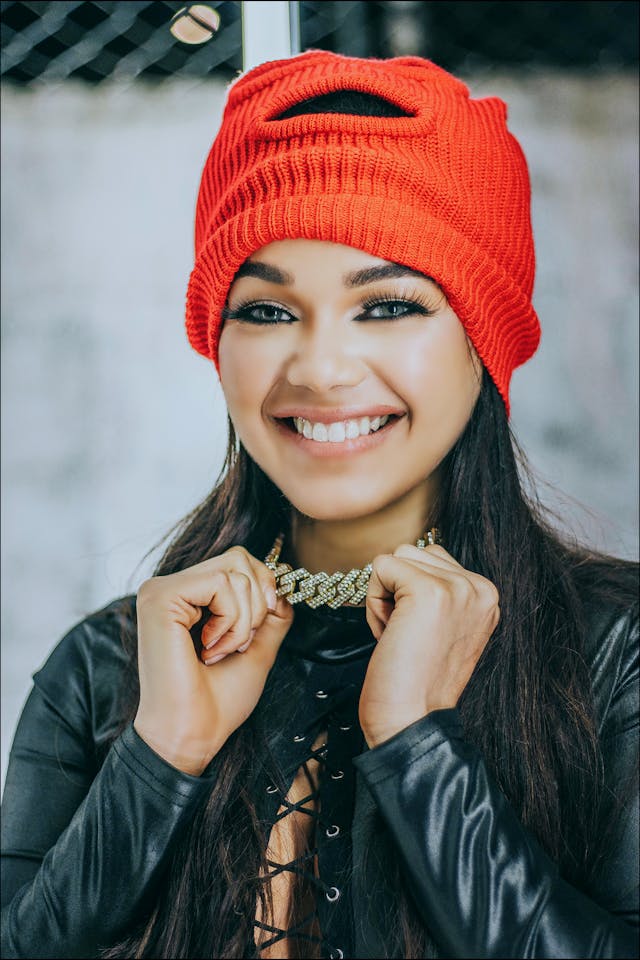
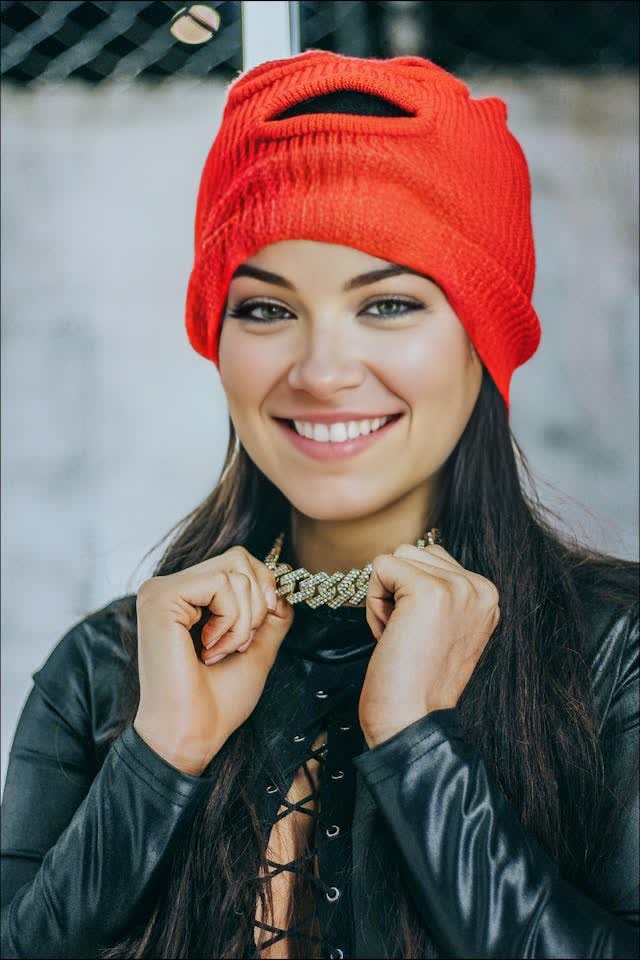
That's the workflow the NeoFace demo walks through: upload, face detection, anonymized output, with uploads deleted after processing. A deleted-after-processing tool pairs naturally with the mindset of this guide; both are about minimizing how much identifying data sits on other people's servers.
For the full picture of where email fits among the eight exposure paths, the doxxing vectors guide maps them all, and the anonymity checklist turns the lot into a 25-item working list.
What to do with all this
The whole job fits in an evening: create the address in a fresh browser profile, set recovery to point nowhere personal, move OnlyFans and your promo logins onto it, decline contact sync everywhere, and never let it touch a personal login or a forwarding rule. From then on it costs you one extra inbox check a day. Against that, the alternative is leaving a standing identifier that breach dumps, contact sync, and data brokers can use to connect your two lives at any point in the future. Email separation is the rare privacy measure that's both close to free and load-bearing. Do it before the account grows big enough for anyone to come looking.
Frequently asked questions
- Do I need a separate email for OnlyFans?
- Yes, and it should be an address created only for creator accounts, never used for anything personal. Email is the identifier platforms and data brokers use to connect accounts to each other, so a shared or reused address is a standing bridge between your real identity and your creator identity. A truly separate address, with no shared recovery methods and no personal logins, removes the most common account-linkage path.
- Can OnlyFans subscribers see my email address?
- No. Subscribers see your display name, username, bio, and content. Your email is used for login, verification, and notifications, and stays between you and the platform. The risk is not OnlyFans showing your email to fans; it is everything else the address touches: contact syncing on promo platforms, breach dumps, people-search sites, and password-reset screens that confirm an account exists.
- Is a Gmail plus-address like name+of@gmail.com separate enough?
- No. Plus-addressing delivers to the same inbox and the address visibly contains your real one, so anyone who sees it can strip the tag and know exactly who you are. The same goes for dots in Gmail addresses and for obvious variations of your personal address. Separate means a different account entirely, with its own password, its own recovery methods, and no visible relationship to anything personal.
- Should my creator email forward to my personal inbox?
- Avoid it. Forwarding feels harmless because mail flows one way, but it recreates the link you built the address to remove: creator mail sitting in a personal inbox that other apps, devices, and people can see, and one tap on Reply sends from the wrong identity. If checking two inboxes is the friction, add the creator account to a separate browser profile or a dedicated mail app instead of merging streams.
- Which email provider is best for OnlyFans creators?
- Any major provider works if the account is used only for creator business. Gmail is familiar and reliable but often asks for a phone number at signup, which is a problem if you only have your personal number. Proton Mail and Tuta offer free encrypted accounts with lighter signup requirements. The provider choice matters less than the discipline: unique password, app-based two-factor, and recovery methods that never point at your personal life.
- What if my creator email shows up in a data breach?
- Check both your personal and creator addresses on Have I Been Pwned every few months. If the creator address appears in a breach, change its password, confirm two-factor is still on, and check whether the breached site held any real-identity details. A breach of a fully separated address exposes the persona, not you, which is the point of the setup. A breach that contains your creator email next to your real name means the separation had already failed somewhere.
- Can I change the email on my OnlyFans account later?
- Yes. As of July 2026, OnlyFans lets you change your login email in account settings, confirmed with a verification link sent to the new address. So an account you registered with a personal email years ago is fixable today: create the dedicated address first, swap it in, then update the recovery details and notification settings. Changing the email does not notify subscribers or alter your profile.
Create with
a face you choose.
Join thousands of creators building faceless brands with Neoface. Private by default, lifelike by design.
No credit card required · Instant access · Free plan available
- High-fidelity models
- Private and secure
- 24/7 support