Batch Uploads, More Realistic v2 Images & Video, Steadier Processing
Paid plans can now anonymize up to 100 photos and videos in one batch. Plus more realistic v2 images and video, and uploads that no longer get stuck in Processing.
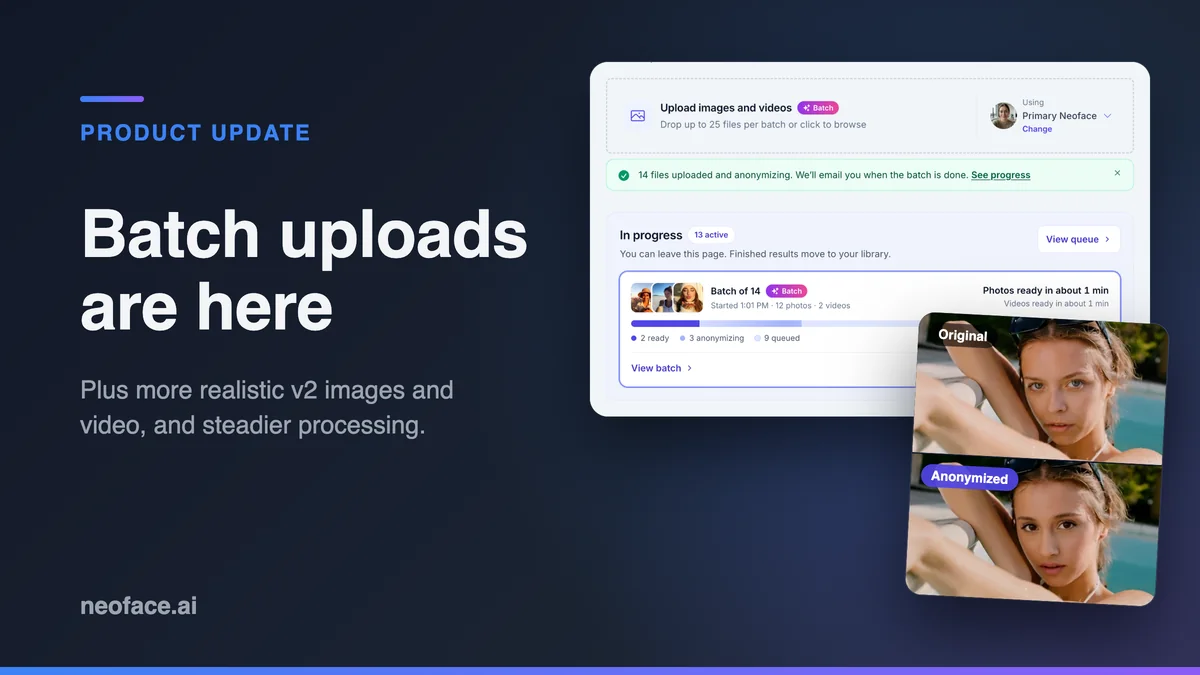
Today we're shipping batch uploads on every paid plan, so you can anonymize a whole shoot in one go instead of a few files at a time. While v3 is in development, v2 got better as well: photos look more natural up close, and video is steadier, with less jitter. And uploads no longer get stuck in Processing.
Batch uploads: a whole shoot at once
Until now, paid plans could add up to four files at a time. For example, if you shot 30 photos for the week, that meant coming back to the upload page eight times. Now you can drop the whole set onto Anonymize Content, pick your Neoface once, and let it run.
| Plan | Files per batch | Longest video clip |
|---|---|---|
| Free | One file at a time | 10 seconds |
| Alias | 25 | 30 seconds |
| Incognito | 50 | 60 seconds |
| Phantom | 100 | 90 seconds |
You don't have to wait for one batch to finish before starting the next. You can have two batches' worth of files in progress at once, so 50 on Alias, 100 on Incognito and 200 on Phantom.
How a batch works
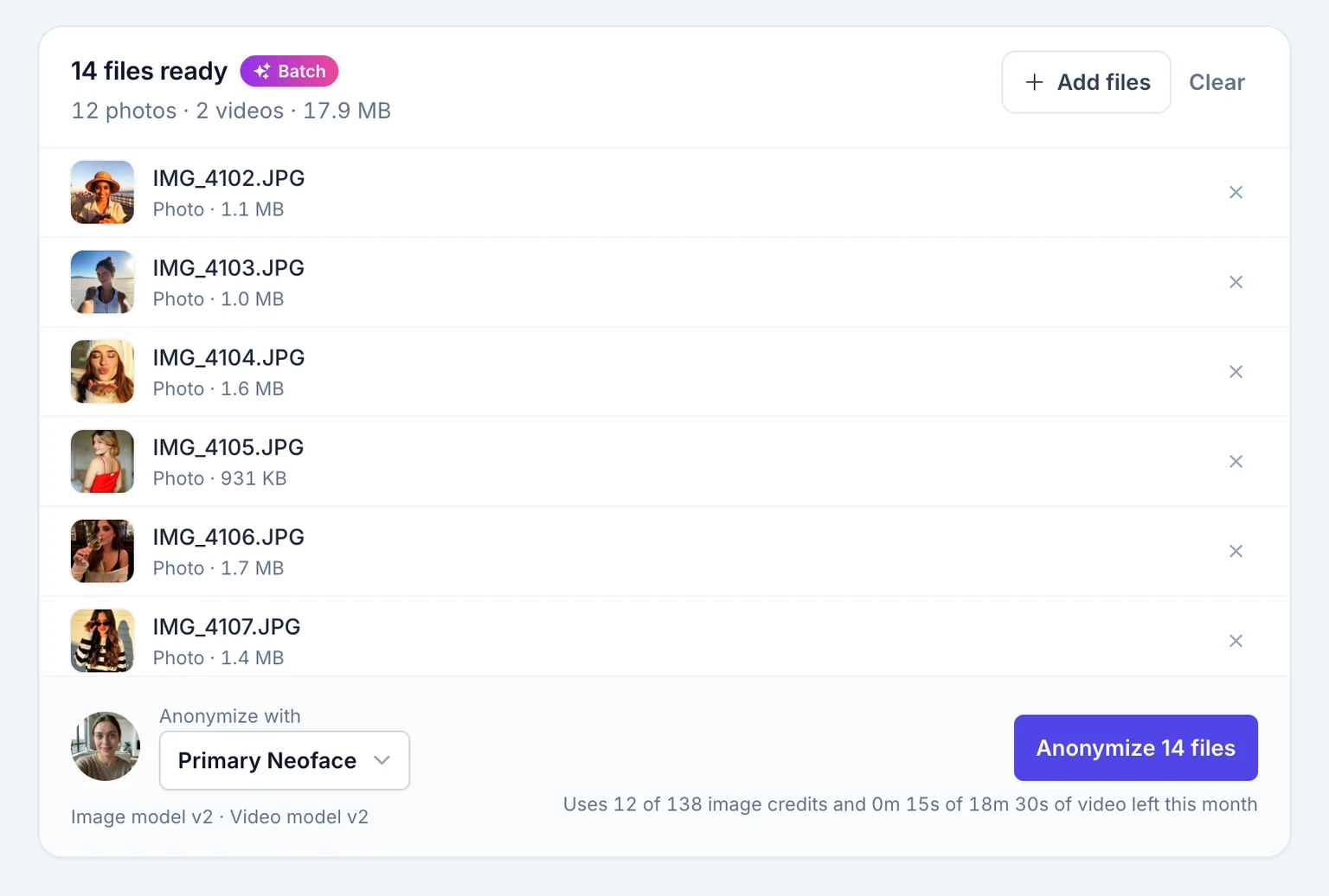
- Drop your files. Photos and videos in JPG, PNG, WEBP, MP4 or MOV. You see every file and its size before anything uploads, and you can remove any you don't want.
- Pick your Neoface. The batch uses the one you choose at the bottom of the list. If you have more than one Neoface, switch it there.
- Check what it'll use. The uploader adds up the image credits and video time the batch needs. Clips longer than your plan allows are flagged and skipped up front, so they don't fail halfway through.
- Start it. Three files upload at a time, and each one starts anonymizing as soon as it lands. If your connection drops, retrying picks up where the upload stopped.
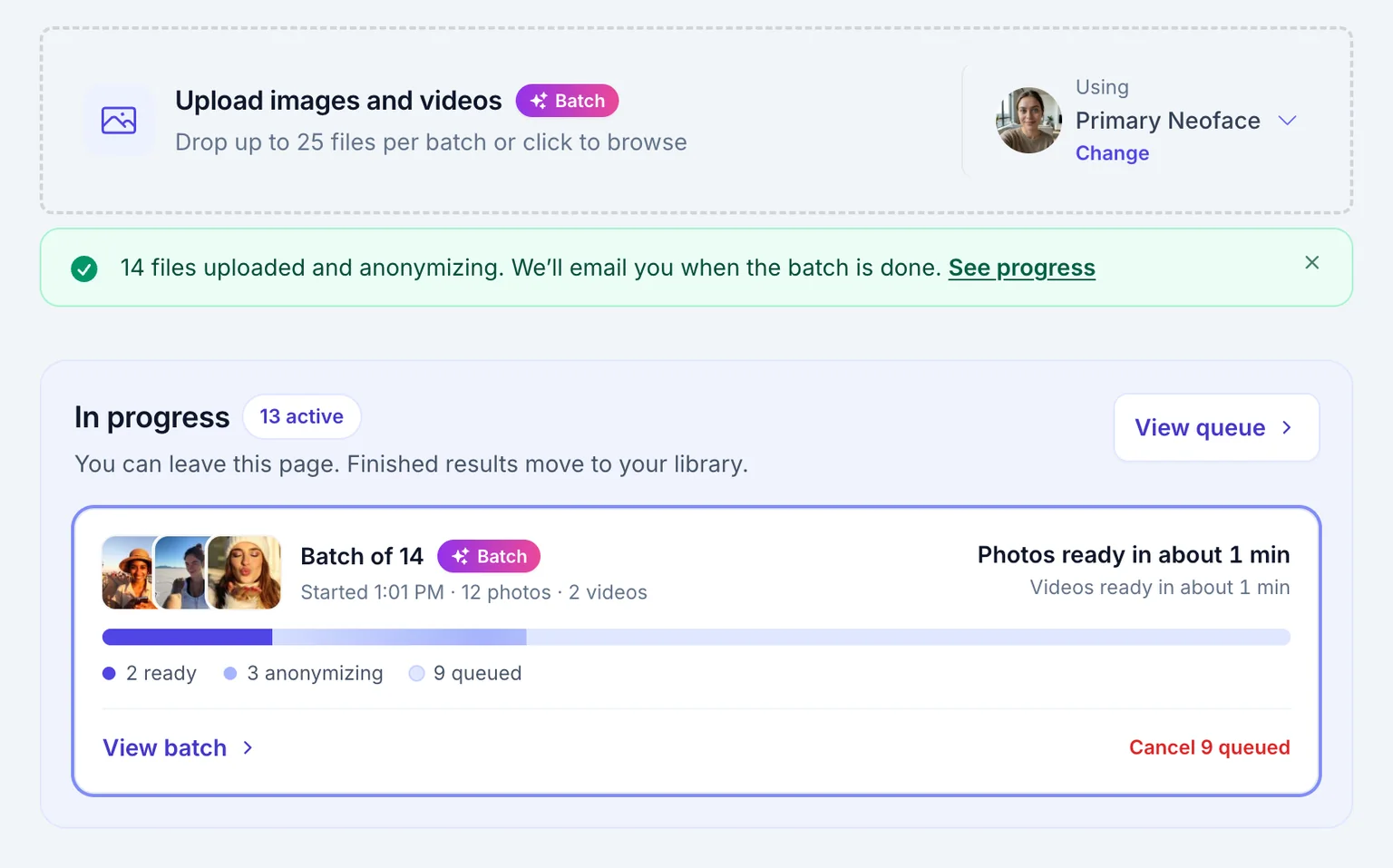
When the last file lands, the batch moves to In progress and gets its own card, with a progress bar and an estimate for when your photos and videos will be ready. You can close the tab at that point. Finished files go to your library, and if you have completion emails turned on, we'll email you when the batch is done.
On Free, uploads still go one file at a time, and the uploader shows how big a batch the next plan up allows. You can compare plans in the pricing section.
A more realistic v2 while v3 is in progress
v3, our all-in-one model for photos and video, is still in development, and the roadmap has the latest on where it stands. We didn't want your content to wait for it, so v2 got better for both photos and video.
Photos that hold up close
v2 images now look more natural up close. Eyes, brows and lips are sharper, skin is more even, and your Neoface holds up when someone looks closely.
Each example below is the same photo before and after the update: a close-up of the face first, then the full photo. Click or tap any image to open it at full size.






Video that stays steady
v2 video got the same attention. There's less jitter from one frame to the next, detail is cleaner, and your Neoface stays consistent through the whole clip.
Here are six sample clips, each with the original next to the anonymized version. Pick one to play it.
Here's the pool clip again, zoomed in on the eyes, before and after the update. Watch the skin and eyelids around each eye. They shimmer less from one frame to the next.
No more uploads stuck in Processing
Before, if something went wrong on our side partway through, an upload could sit in Processing indefinitely. Now every photo and video ends up either ready or marked failed with a reason, and files that hit a problem on our end are retried automatically.
- 1Uploaded
Your file is in. If your connection drops, the upload picks up where it left off.
- 2Queued
It waits its turn under In progress, and you can cancel it until it starts.
- 3Anonymizing
Your Neoface is applied to the photo or video.
- 4Ready
It’s in your library. Credits are only used once a file is ready.
Retrying
If something goes wrong on our end, the file is tried again automatically.
Failed
If a file can’t be anonymized, for example because there’s no clear face in it, you see why. No credits are used.
Busy times are fairer too. Your single photo doesn't wait behind someone else's 100-file batch, and your batch doesn't hold anyone else up. Items under In progress show an estimate, and anything that hasn't started yet can be cancelled.
When you create a Neoface, your options now start generating as soon as your photo is ready.
Try it today
Batch uploads are live on Alias, Incognito and Phantom. Open Anonymize Content in the app and drop in your next shoot. New to Neoface? The step-by-step workflow covers creating a Neoface, uploading, and reviewing your results.
Frequently asked questions
- Which plans include batch uploads?
- Batch uploads come with the Alias, Incognito and Phantom plans. Alias batches hold up to 25 files, Incognito up to 50 and Phantom up to 100. The Free plan uploads one file at a time.
- Does a batch use more credits than uploading files one at a time?
- No. Each photo uses one image credit and each video uses video time, the same as a single upload. Before anything uploads, the batch uploader adds up what the batch needs and tells you if it's more than you have left this month.
- Do I have to keep the page open while a batch processes?
- Only until your files finish uploading. After that you can close the tab. Finished files move to your library, and if completion emails are turned on, we email you when the batch is done.
- What happens if my connection drops during an upload?
- The upload stops where it was. When you retry, or when your connection comes back, it continues from that point instead of starting the file over. Files that already uploaded keep anonymizing.
- What happens if one file in a batch fails?
- The rest of the batch keeps going. Temporary problems are retried automatically. If a file still can't be processed, for example because there's no clear face in it, it shows as failed in your library with the reason, and it doesn't use any credits.
- Can I use different Neofaces in the same batch?
- No. Each batch uses one Neoface, which you choose before it starts. To anonymize other files with a different Neoface, start a second batch and pick that Neoface for it.
Stand Out While Staying Anonymous
Join thousands of creators building faceless brands with Neoface. Private by default, lifelike by design.
No credit card required · Instant access · Free plan available