How to Become a Faceless Creator With Neoface
A plain-English beginner guide to the faceless creator workflow: create content, edit it with Neoface, and post to social and paid platforms without showing your real face.
You don’t need to show your real face to build a real audience.
This guide is a beginner playbook for turning SFW social posts → Reddit teasers → paid subscriptions, using repeatable content formulas (not vague “just post more”) and a workflow that’s Neoface-friendly from day one.
These are the same pro-level patterns creators use to win attention and convert it into subscribers—including our partner model & Privacy Ambassador VibeWithMolly
The only thing to remember: Create → Edit → Post Social is for discovery. Paid is for revenue. Your job is to connect them with a “content ladder.”
Who this is for
- You want to post content online using your Neoface.
- You’re new to the creator workflow (social → paid).
- You want a simple, repeatable system you can run every week.
What you’ll learn
- The 3-tier content ladder that converts: SFW → Teaser → Payoff
- The psychology that drives clicks (with examples)
- Exactly what to post (templates you can copy)
- Where to post (IG/TikTok/X/Reddit and paid socials)
- A 7-day starter plan
The main idea (read this twice)
Most platforms reward watch time, rewatches, saves, and shares more than “hotness.”
So your goal is not “post attractive content.” Your goal is: post content people rewatch and save.
You do that by making every post an open loop (curiosity PLUS cliffhanger) and closing the loop later or off-platform.
That’s how you earn clicks without over-giving.
The 3-tier content ladder (what to post and where)
Tier 1: SFW “safe thirst” (Instagram / TikTok / X)
Goal: reach + discovery + profile visits
Content: flirty, aesthetic, suggestive but platform-safe
Why it works: mainstream platforms boost content that gets rewatched/saved, and “safe thirst” naturally creates that behavior.
Examples (more examples later):
- Outfit try-ons, “fit check,” gym clips, mirror transitions
- POV lines + small actions (zip jacket, adjust straps, hair flip)
- “Pick my vibe” polls, mini-series, countdown drops
Tier 2: Slightly spicier teaser (Reddit)
Goal: high-intent traffic PLUS conversion
Content: a little more revealing (within each subreddit’s rules), stronger tease, stronger open loop
Why?: Reddit users self-select into niches. If you match the niche, conversion is higher.
Examples:
- A teaser set (3–8 images)
- A short clip that cuts at the peak moment
- A themed post aligned to the subreddit vibe (not generic promo, ALWAYS post themed specific to the subreddit niche)
Tier 3: The payoff (paid platform)
Goal: paid value PLUS retention
Content: full version, full set, longer scene, consistent schedule
Why it works: people subscribe when you keep promises and deliver on a predictable rhythm.
1) Create content that works with Neoface
Simple filming rules (Neoface-friendly)
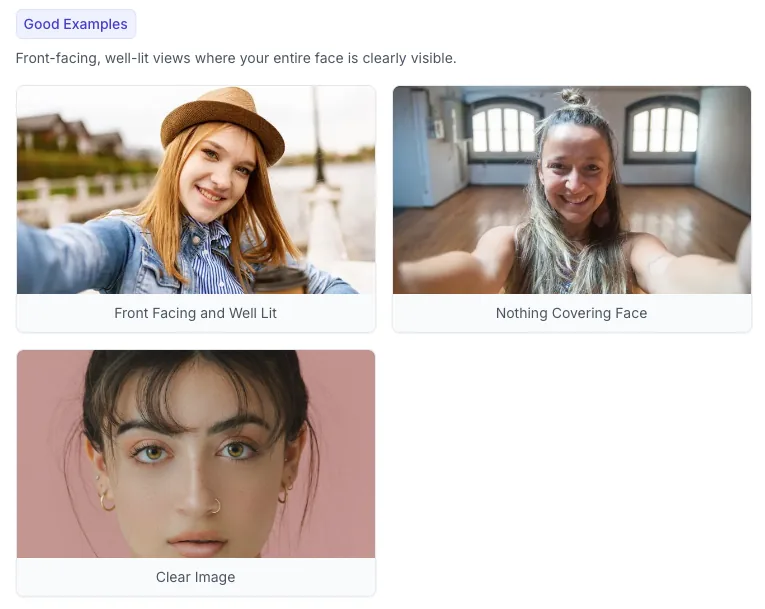
- Use well lit lighting
- Avoid dark settings if possible (we will improve this as Neoface models mature)
- Keep your face in frame as much as possible.
- Avoid too fast head turns.
- Keep face semi close to medium (not SUPER close and not super far).
What to create (beginner list)
A) Short vertical clips (SFW social)
- 5–12 seconds is a sweet spot for rewatches
- One idea per clip
- Strong first 1 second (pattern break)
B) Longer videos (paid)
- Start with 1–10 minutes
- Simple structure: intro → main → outro
- Keep it easy to repeat weekly
C) Photos (paid + promos)
- Consistent style
- Batch-friendly poses/angles
- Repeatable themes (so you don’t reinvent the wheel)
Beginner content batching (easy mode)
Film 2–3 hours once per week, and aim for:
- 20–40 short clips
- 5–10 longer videos
- 30–60 photos
2) Edit content with Neoface before Posting
What Neoface does in your workflow
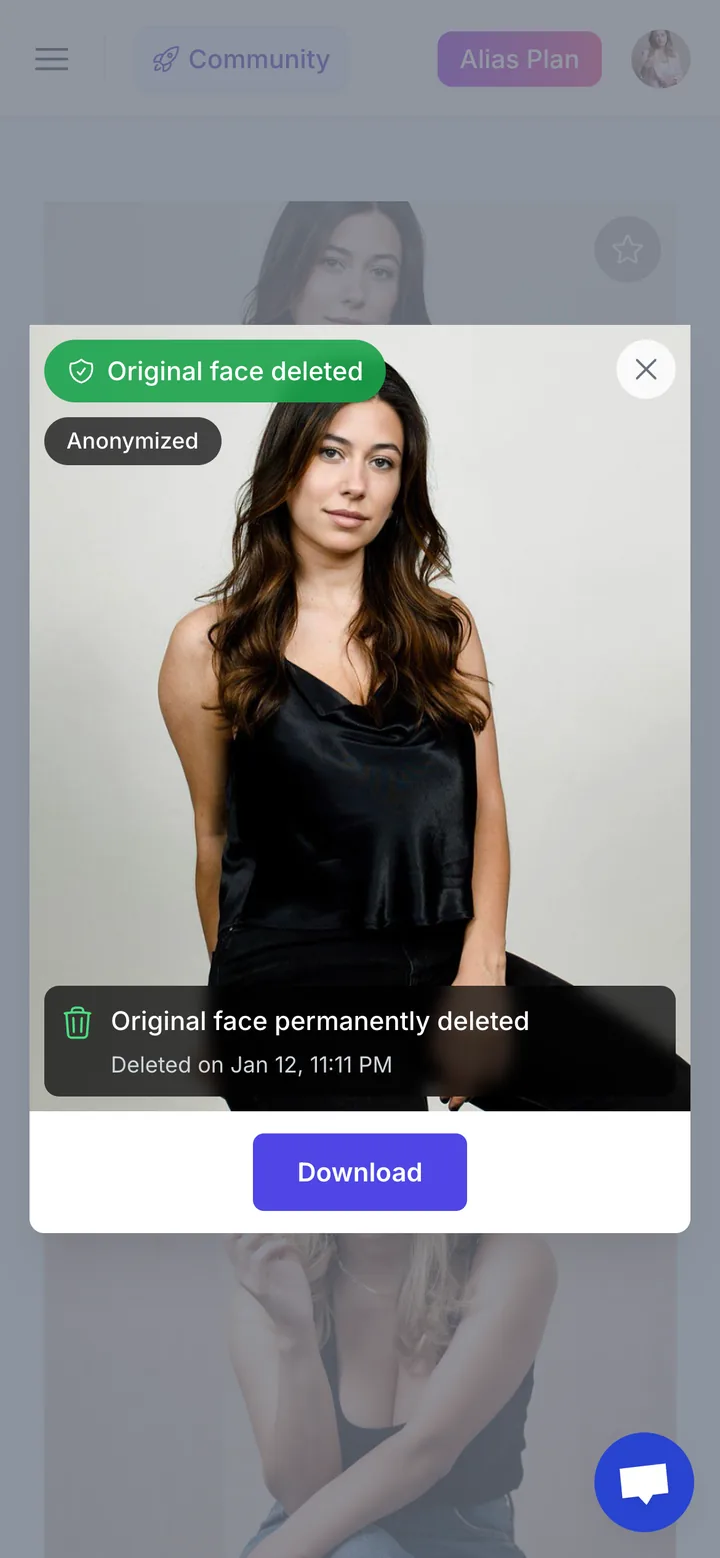
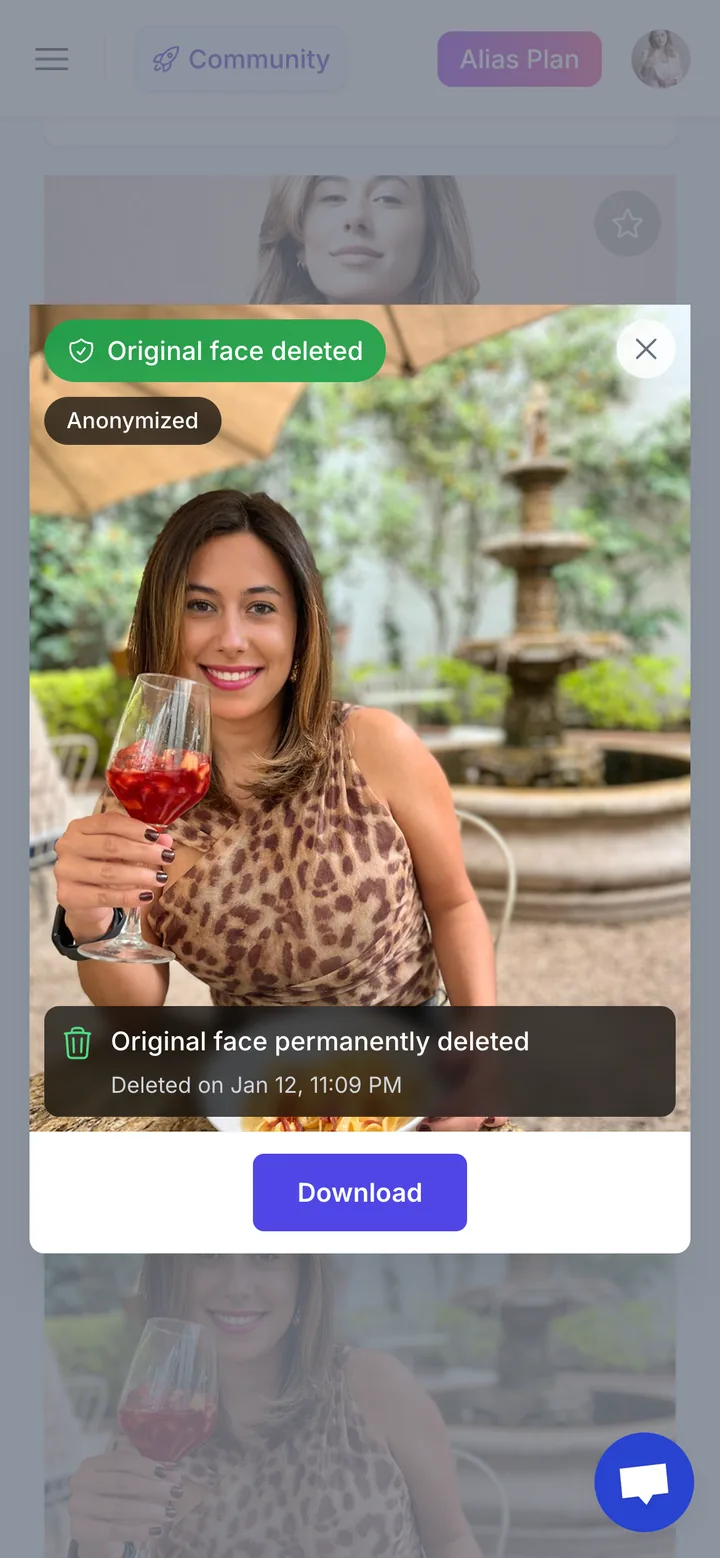
Neoface lets you replace your real face with a consistent identity
Step-by-step editing flow
- Pick your best raw clips and images (don’t overthink).
- Run Neoface on your selected content.
- Review results and keep only what looks natural.
- Final edits once you download them
- Crop
- Trim
- Add captions (for social)
- Basic color/contrast if needed
“Good” checklist
- For video - Face looks stable (no jitter)
- For image - Face looks natural
- No identiy leaks (Neoface does its best to prevent this but always good to double-check)
Common problems and quick fixes
Face looks unstable → use clips with less motion, better light, clearer face
Too sharp/too soft → Improve lighting, sometimes face is too close, move back a bit
Inconsistent results → keep lighting, camera angle consistent within a batch
3) Post content (social first, paid second)
Your job on social
Create rewatches and saves using open loops.
Here are the psychological triggers that reliably drive performance:
The psychology that drives clicks (with copyable examples)
1) Information gap → People hate missing the answer → Example: “I filmed 3 outfits. One is a mistake. Guess which.”
2) Open loop (Zeigarnik effect) → Interrupted actions stick in memory → Example: start zipping a jacket, cut early: “Part 2 is up.”
3) Variable reward → Uncertainty keeps people checking → Example: “Sometimes I drop a bonus set for commenters. No warning.”
4) Parasocial intimacy (at a distance) → Direct address feels personal → Example: “You’re the only one who gets this version.”
5) Self-relevance → People engage more when it’s about them → Example: “Pick my next vibe: gym / lounge / night-out. Winner gets posted.”
6) Social proof → People copy what others signal is good → Example: “Most saved clip this week. I get why.”
7) Anticipation and delayed payoff → Desire grows when payoff is scheduled → Example: “Friday drop. Same time. New theme.”
Repeatable content formulas (templates you can use today)
1) The Almost-Reveal Loop (best beginner performer)
Template: near-reveal (0–1s) → tease detail (1–6s) → cut early (6–9s) → CTA (Call to action) Caption: “Full version is posted (pinned / paid).”
2) 3 Options, 1 Winner
Template: show 3 fits/angles fast → pause on the “winner” → cut Caption: “Winner set is up. You’ll know when you see it.”
3) POV Whisper
Template: direct-to-camera line + small action → micro-smile → cut Caption: “If you want the rest of this scene…”
4) Before / After
Template: plain → glow-up transition → freeze at peak → cut Caption: “Full transformation is off-platform.”
5) Countdown Drop (build habit fast)
Template: 24h → 6h → 1h mini-clips Caption: “Drop is tonight. Same time.”
Where to post (and what to do on each)
Set up your paid platform (OnlyFans + Fansly to start)
Your social content is the “trailer.” Your paid page is the “movie.” Before you post a bunch of teasers, get your paid platform ready so clicks have somewhere to go.
Step 1: Pick your starting platform(s)
- OnlyFans: biggest brand recognition, huge audience, common default.
- Fansly: strong alternative and often easier to iterate with (great to run alongside OF).
Beginner-friendly move: start with one, or run OF + Fansly in parallel if you can handle posting the same content twice.
Step 2: Create the account + finish verification
Most paid platforms require:
- Identity verification (government ID + selfie / liveness checks)
- Account and payout setup (bank / payment details)
- Profile completion
Important: Approval can take time (sometimes days, sometimes longer depending on volume and requirements). Don’t wait until you “go viral” to start this.
Step 3: Build a “conversion-ready” profile
You don’t need fancy design. You need clarity.
- Bio: one sentence that says what people get (the payoff)
- Profile image + banner: consistent vibe (match your social)
- Pinned post: “Start here” + what to expect + posting cadence
- Pricing: keep it simple at first (don’t overthink discounts)
Step 4: Post the minimum content so people don’t bounce
Before you send traffic, aim for:
- 1 pinned welcome post
- 3–6 pieces of paid content (a mix of clips + a photo set)
- A clear next drop day (“New set every Friday”)
Step 5: Create your “link path” (hub → paid)
- Make one link hub (or a single landing page) that points to your paid platform(s).
- Use that hub link in your IG/TikTok/X bio and pin it on X/Reddit profile.
- Keep it consistent everywhere so people learn the habit.
PRO TIP
AS OF 2026 - In order to link to your OF on Instagram you'll have to use a link.me account or else your account may be yellow flagged and difficult to search
Instagram Reels (SFW)
Best for: saves, shares, discovery Post: 1–2 Reel/Images day to start Focus metric: saves, rewatches, profile visits
Hashtag approach (simple and safe): Use 5–12 hashtags, mixing:
- Broad:
#reels #outfitinspo #fitcheck - Niche:
#gymtok #tryonhaul #cosplaygirl - Vibe/style:
#softaesthetic #nightoutlook #cozyvibes
Avoid anything explicit. If your reach drops, reduce hashtags and lean into clearer captions and stronger hooks.
TikTok (SFW)
Best for: watch time and fast iteration Post: 1-2/day to start (same clip can be re-edited and reposted later) Focus metric: 3-second hold, average watch time
Tip: TikTok rewards “tight loops.” If your clip ends where it started visually, rewatches go up.
X (Twitter)
Best for: fast distribution, personality, threads Post: 1 short video/day + 1 pinned “hub” post Focus metric: profile clicks
Pin this: a simple post that says what you do + where to go next (your link hub).
Reddit (Teasers and high-intent traffic)
Best for: niche matching and conversions Post: 2–5x/week to start for starters after you learn the rules Focus metric: upvote ratio, comments, profile visits
Reddit rules that matter (don’t skip):
- Every subreddit has promo limits, flair rules, and content boundaries.
- Label NSFW correctly (where required).
- Don’t spam links—many subs ban direct links. Use your profile and pinned post instead.
- Engage like a human in comments. One good thread beats 10 low-effort drops.
A simple Reddit posting framework
- Pick 5–10 subreddits that match your vibe.
- Rotate them (don’t hit the same one daily).
- Post content that fits the sub first, promo second.
- Keep your caption aligned to the niche (not generic “link in bio”).
Do / Don’t (print this)
Do
- Optimize for rewatches + saves (tight edits, loops, cliffhangers).
- Keep footage Neoface-friendly (stable face angle, in-frame).
- Follow Reddit and platform rules and label content correctly.
Don’t
- Don’t post explicit sexual content on mainstream SFW platforms.
- Don’t spam Reddit or ignore each sub’s promo limits.
- Don’t “link beg.” Earn the click with a loop and a promise.
Your first 7 days (beginner plan)
Day 1: Set persona rules (name, vibe, boundaries) + write 10 reusable captions/CTAs
Day 2: Film 20 short clips (5–12s) using stable, Neoface-friendly framing
Day 3: Edit 6 SFW posts: 3 Almost-Reveal Loops + 3 “3 Options, 1 Winner”
Day 4: Post 1 IG Reel + 1 TikTok. Track: 3-sec hold, completion, rewatches, saves
Day 5: Post 1 X video + pin your hub post linking to your promo page
Day 6: Post 1 Reddit teaser that follows the subreddit’s rules; engage in comments
Day 7: Publish the paid “payoff” set + send a welcome message + schedule next week’s drop day
Safety, privacy, and boundaries (keep it simple)
Protect your identity
- Don’t reuse personal photos anywhere public.
- Keep backgrounds clean (no mail, family photos, unique locations).
- Use separate emails/accounts for creator work.
- Remove metadata when posting if needed.
Set boundaries early
- Decide what you will and won’t do.
- Decide how often you’ll respond to messages.
- Pick a posting cadence you can actually sustain.
FAQs
Can I be faceless and still build a brand?
Yes. Consistency beats a real face: theme, vibe, posting rhythm, and a recognizable identity.
Do I need expensive gear?
No. A modern phone + one good light is enough.
How much content should I have before I start posting?
Have:
- 7 days of social posts ready
- 2–3 paid posts ready Then start. Momentum is more important than perfection.
Next steps (do this today)
- Create your first Neoface.
- Process 3 short clips.
- Post your first SFW teaser on one platform.
- Repeat for 7 days without changing your format.
Stand Out While Staying Anonymous
Join thousands of creators building faceless brands with Neoface. Private by default, lifelike by design.
No credit card required · Instant access · Free plan available